Program Presets
Panel 1 Program Presets of the BEMGen tab: 34 components. Back to the component reference.
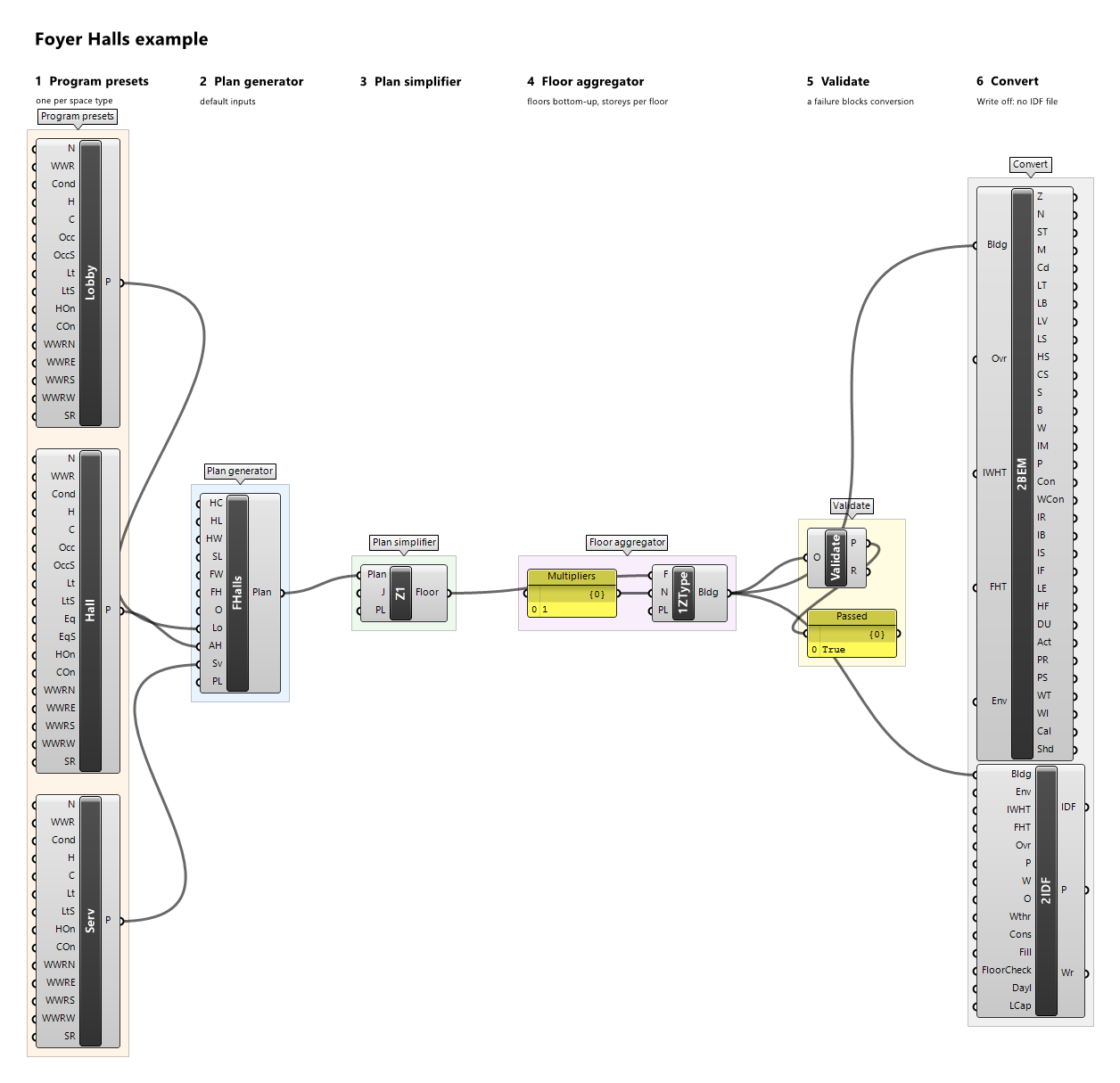
Activity Hall Preset

Component · nickname Hall · GUID 6bf00cd3-70b9-4337-8b80-70fc00d79666 · exposure primary
Program preset of an activity hall for sport or community use; space type ActivityHall. Every input defaults to the illustrative example values.
Inputs
| Name | Nickname | Type | Access | Optional | Default | Description |
|---|---|---|---|---|---|---|
| Name | N |
Text | item | no | Example Activity Hall |
Preset name; descriptive only (reports, provenance, messages), never used for matching. |
| WWR | WWR |
Number | item | no | 0.2 |
Window-to-wall ratio in [0, 1) used by the plan generator for every exterior wall. |
| Conditioned | Cond |
Boolean | item | no | True |
Whether the space is conditioned; the setpoints are ignored when it is not. A conditioned space needs Heating On or Cooling On. |
| Heating | H |
Number | item | no | 18 |
Constant heating setpoint, °C. |
| Cooling | C |
Number | item | no | 25 |
Constant cooling setpoint, °C. |
| Occupancy | Occ |
Number | item | no | 0.1 |
Occupancy design value, people/m². |
| Occupancy Schedule | OccS |
Schedule | item | yes | – | Optional fraction schedule of Occupancy; replaces the built-in schedule 'Example Community Occupancy' when connected. |
| Lighting | Lt |
Number | item | no | 12 |
Lighting design value, W/m². |
| Lighting Schedule | LtS |
Schedule | item | yes | – | Optional fraction schedule of Lighting; replaces the built-in schedule 'Example Community Hours' when connected. |
| Equipment | Eq |
Number | item | no | 2 |
Equipment design value, W/m². |
| Equipment Schedule | EqS |
Schedule | item | yes | – | Optional fraction schedule of Equipment; replaces the built-in schedule 'Example Community Hours' when connected. |
| Heating On | HOn |
Boolean | item | no | True |
Whether a conditioned space is heated at the Heating setpoint; when false, Heating is ignored. |
| Cooling On | COn |
Boolean | item | no | True |
Whether a conditioned space is cooled at the Cooling setpoint; when false, Cooling is ignored. |
| WWR North | WWRN |
Number | item | yes | – | Window-to-wall ratio in [0, 1) of the outdoor walls facing north, true azimuth [315°, 45°) after the plan's orientation. Unset: WWR. |
| WWR East | WWRE |
Number | item | yes | – | Window-to-wall ratio in [0, 1) of the outdoor walls facing east, true azimuth [45°, 135°) after the plan's orientation. Unset: WWR. |
| WWR South | WWRS |
Number | item | yes | – | Window-to-wall ratio in [0, 1) of the outdoor walls facing south, true azimuth [135°, 225°) after the plan's orientation. Unset: WWR. |
| WWR West | WWRW |
Number | item | yes | – | Window-to-wall ratio in [0, 1) of the outdoor walls facing west, true azimuth [225°, 315°) after the plan's orientation. Unset: WWR. |
| Skylight Ratio | SR |
Number | item | yes | 0 |
Skylight ratio in [0, 1): a zone's roof takes one skylight of this ratio × its roof area, centred in the roof's largest grid rectangle; only roofs facing outdoors, terraces included, get skylights. |
Outputs
| Name | Nickname | Type | Access | Description |
|---|---|---|---|---|
| Preset | P |
Program Preset | item | The program preset. |
Example definitions: foyer-halls.gh (canvas).
Care Bedroom Preset

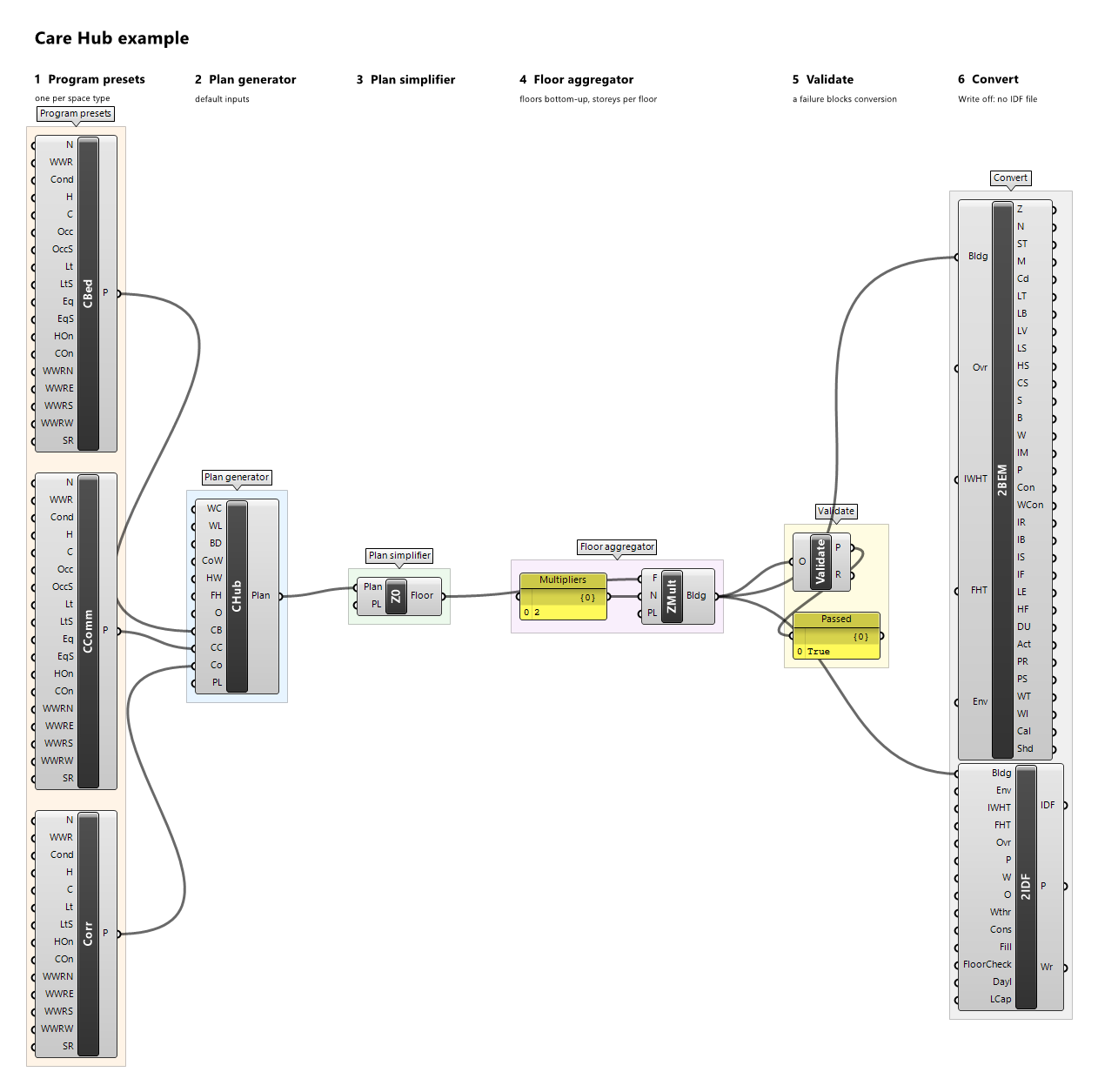
Component · nickname CBed · GUID 8447ea38-faec-4630-96dd-92569cd7d0d8 · exposure primary
Program preset of a group of care bedrooms; space type CareBedroom. Every input defaults to the illustrative example values.
Inputs
| Name | Nickname | Type | Access | Optional | Default | Description |
|---|---|---|---|---|---|---|
| Name | N |
Text | item | no | Example Care Bedroom |
Preset name; descriptive only (reports, provenance, messages), never used for matching. |
| WWR | WWR |
Number | item | no | 0.3 |
Window-to-wall ratio in [0, 1) used by the plan generator for every exterior wall. |
| Conditioned | Cond |
Boolean | item | no | True |
Whether the space is conditioned; the setpoints are ignored when it is not. A conditioned space needs Heating On or Cooling On. |
| Heating | H |
Number | item | no | 22 |
Constant heating setpoint, °C. |
| Cooling | C |
Number | item | no | 25 |
Constant cooling setpoint, °C. |
| Occupancy | Occ |
Number | item | no | 0.04 |
Occupancy design value, people/m². |
| Occupancy Schedule | OccS |
Schedule | item | yes | – | Optional fraction schedule of Occupancy; replaces the built-in schedule 'Example Care Bedroom Occupancy' when connected. |
| Lighting | Lt |
Number | item | no | 6 |
Lighting design value, W/m². |
| Lighting Schedule | LtS |
Schedule | item | yes | – | Optional fraction schedule of Lighting; replaces the built-in schedule 'Example Care Bedroom Lighting' when connected. |
| Equipment | Eq |
Number | item | no | 3 |
Equipment design value, W/m². |
| Equipment Schedule | EqS |
Schedule | item | yes | – | Optional fraction schedule of Equipment; replaces the built-in schedule 'Example Care Bedroom Equipment' when connected. |
| Heating On | HOn |
Boolean | item | no | True |
Whether a conditioned space is heated at the Heating setpoint; when false, Heating is ignored. |
| Cooling On | COn |
Boolean | item | no | True |
Whether a conditioned space is cooled at the Cooling setpoint; when false, Cooling is ignored. |
| WWR North | WWRN |
Number | item | yes | – | Window-to-wall ratio in [0, 1) of the outdoor walls facing north, true azimuth [315°, 45°) after the plan's orientation. Unset: WWR. |
| WWR East | WWRE |
Number | item | yes | – | Window-to-wall ratio in [0, 1) of the outdoor walls facing east, true azimuth [45°, 135°) after the plan's orientation. Unset: WWR. |
| WWR South | WWRS |
Number | item | yes | – | Window-to-wall ratio in [0, 1) of the outdoor walls facing south, true azimuth [135°, 225°) after the plan's orientation. Unset: WWR. |
| WWR West | WWRW |
Number | item | yes | – | Window-to-wall ratio in [0, 1) of the outdoor walls facing west, true azimuth [225°, 315°) after the plan's orientation. Unset: WWR. |
| Skylight Ratio | SR |
Number | item | yes | 0 |
Skylight ratio in [0, 1): a zone's roof takes one skylight of this ratio × its roof area, centred in the roof's largest grid rectangle; only roofs facing outdoors, terraces included, get skylights. |
Outputs
| Name | Nickname | Type | Access | Description |
|---|---|---|---|---|
| Preset | P |
Program Preset | item | The program preset. |
Example definitions: care-hub.gh (canvas).
Care Communal Preset

Component · nickname CComm · GUID a3000f8c-633f-4a54-9fb8-1a4109e337bb · exposure primary
Program preset of the communal and service hub of a care home; space type CareCommunal. Every input defaults to the illustrative example values.
Inputs
| Name | Nickname | Type | Access | Optional | Default | Description |
|---|---|---|---|---|---|---|
| Name | N |
Text | item | no | Example Care Communal |
Preset name; descriptive only (reports, provenance, messages), never used for matching. |
| WWR | WWR |
Number | item | no | 0.4 |
Window-to-wall ratio in [0, 1) used by the plan generator for every exterior wall. |
| Conditioned | Cond |
Boolean | item | no | True |
Whether the space is conditioned; the setpoints are ignored when it is not. A conditioned space needs Heating On or Cooling On. |
| Heating | H |
Number | item | no | 22 |
Constant heating setpoint, °C. |
| Cooling | C |
Number | item | no | 25 |
Constant cooling setpoint, °C. |
| Occupancy | Occ |
Number | item | no | 0.15 |
Occupancy design value, people/m². |
| Occupancy Schedule | OccS |
Schedule | item | yes | – | Optional fraction schedule of Occupancy; replaces the built-in schedule 'Example Care Communal Occupancy' when connected. |
| Lighting | Lt |
Number | item | no | 10 |
Lighting design value, W/m². |
| Lighting Schedule | LtS |
Schedule | item | yes | – | Optional fraction schedule of Lighting; replaces the built-in schedule 'Example Care Communal Hours' when connected. |
| Equipment | Eq |
Number | item | no | 5 |
Equipment design value, W/m². |
| Equipment Schedule | EqS |
Schedule | item | yes | – | Optional fraction schedule of Equipment; replaces the built-in schedule 'Example Care Communal Hours' when connected. |
| Heating On | HOn |
Boolean | item | no | True |
Whether a conditioned space is heated at the Heating setpoint; when false, Heating is ignored. |
| Cooling On | COn |
Boolean | item | no | True |
Whether a conditioned space is cooled at the Cooling setpoint; when false, Cooling is ignored. |
| WWR North | WWRN |
Number | item | yes | – | Window-to-wall ratio in [0, 1) of the outdoor walls facing north, true azimuth [315°, 45°) after the plan's orientation. Unset: WWR. |
| WWR East | WWRE |
Number | item | yes | – | Window-to-wall ratio in [0, 1) of the outdoor walls facing east, true azimuth [45°, 135°) after the plan's orientation. Unset: WWR. |
| WWR South | WWRS |
Number | item | yes | – | Window-to-wall ratio in [0, 1) of the outdoor walls facing south, true azimuth [135°, 225°) after the plan's orientation. Unset: WWR. |
| WWR West | WWRW |
Number | item | yes | – | Window-to-wall ratio in [0, 1) of the outdoor walls facing west, true azimuth [225°, 315°) after the plan's orientation. Unset: WWR. |
| Skylight Ratio | SR |
Number | item | yes | 0 |
Skylight ratio in [0, 1): a zone's roof takes one skylight of this ratio × its roof area, centred in the roof's largest grid rectangle; only roofs facing outdoors, terraces included, get skylights. |
Outputs
| Name | Nickname | Type | Access | Description |
|---|---|---|---|---|
| Preset | P |
Program Preset | item | The program preset. |
Example definitions: care-hub.gh (canvas).
Clean Corridor Preset

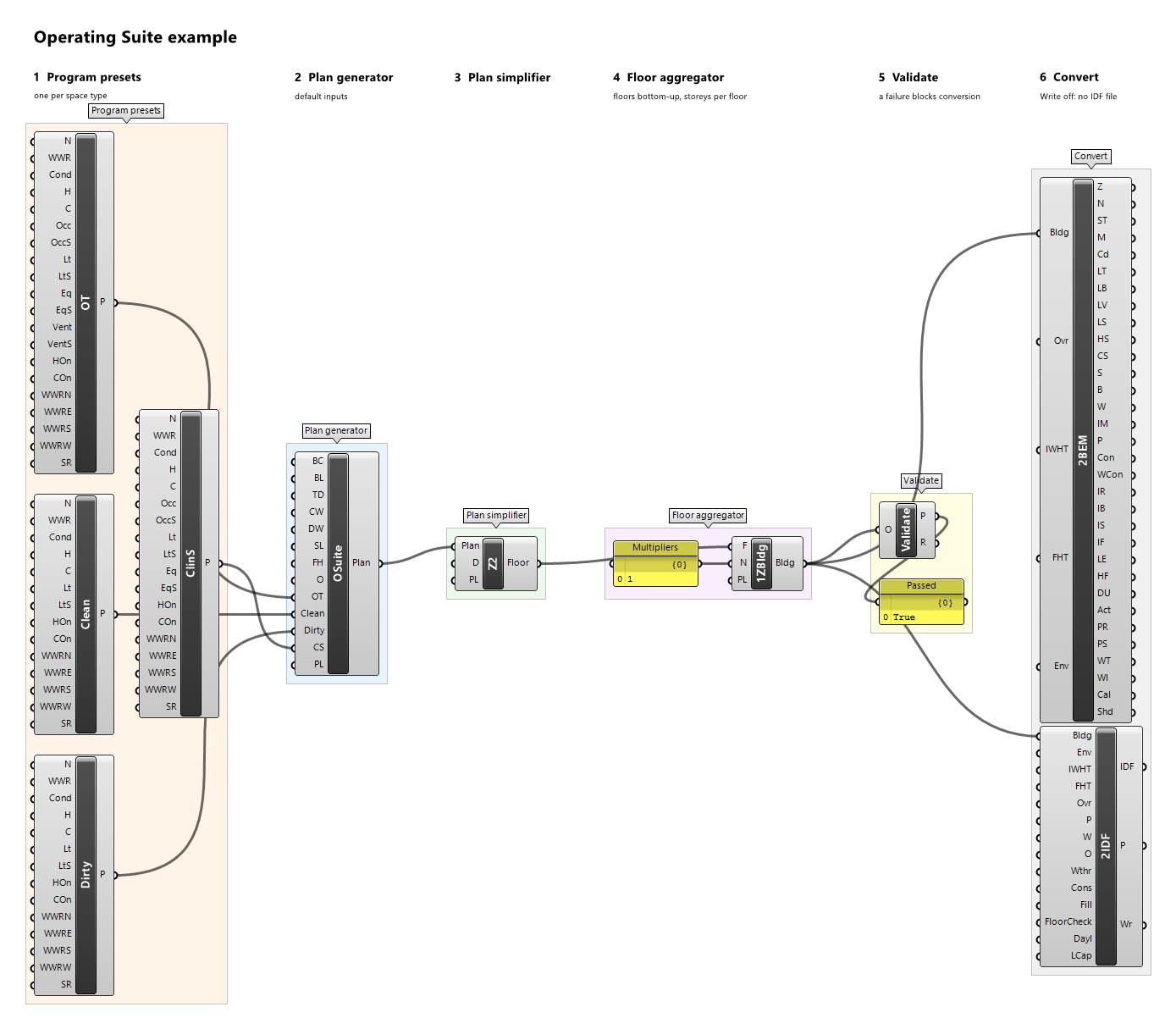
Component · nickname Clean · GUID c199a986-28b8-41c7-b260-5f4581b7362b · exposure primary
Program preset of the clean route of an operating suite; space type CleanCorridor. Every input defaults to the illustrative example values.
Inputs
| Name | Nickname | Type | Access | Optional | Default | Description |
|---|---|---|---|---|---|---|
| Name | N |
Text | item | no | Example Clean Corridor |
Preset name; descriptive only (reports, provenance, messages), never used for matching. |
| WWR | WWR |
Number | item | no | 0.1 |
Window-to-wall ratio in [0, 1) used by the plan generator for every exterior wall. |
| Conditioned | Cond |
Boolean | item | no | True |
Whether the space is conditioned; the setpoints are ignored when it is not. A conditioned space needs Heating On or Cooling On. |
| Heating | H |
Number | item | no | 20 |
Constant heating setpoint, °C. |
| Cooling | C |
Number | item | no | 24 |
Constant cooling setpoint, °C. |
| Lighting | Lt |
Number | item | no | 8 |
Lighting design value, W/m². |
| Lighting Schedule | LtS |
Schedule | item | yes | – | Optional fraction schedule of Lighting; replaces the built-in schedule 'Example Always On' when connected. |
| Heating On | HOn |
Boolean | item | no | True |
Whether a conditioned space is heated at the Heating setpoint; when false, Heating is ignored. |
| Cooling On | COn |
Boolean | item | no | True |
Whether a conditioned space is cooled at the Cooling setpoint; when false, Cooling is ignored. |
| WWR North | WWRN |
Number | item | yes | – | Window-to-wall ratio in [0, 1) of the outdoor walls facing north, true azimuth [315°, 45°) after the plan's orientation. Unset: WWR. |
| WWR East | WWRE |
Number | item | yes | – | Window-to-wall ratio in [0, 1) of the outdoor walls facing east, true azimuth [45°, 135°) after the plan's orientation. Unset: WWR. |
| WWR South | WWRS |
Number | item | yes | – | Window-to-wall ratio in [0, 1) of the outdoor walls facing south, true azimuth [135°, 225°) after the plan's orientation. Unset: WWR. |
| WWR West | WWRW |
Number | item | yes | – | Window-to-wall ratio in [0, 1) of the outdoor walls facing west, true azimuth [225°, 315°) after the plan's orientation. Unset: WWR. |
| Skylight Ratio | SR |
Number | item | yes | 0 |
Skylight ratio in [0, 1): a zone's roof takes one skylight of this ratio × its roof area, centred in the roof's largest grid rectangle; only roofs facing outdoors, terraces included, get skylights. |
Outputs
| Name | Nickname | Type | Access | Description |
|---|---|---|---|---|
| Preset | P |
Program Preset | item | The program preset. |
Example definitions: operating-suite.gh (canvas).
Clinical Support Preset

Component · nickname ClinS · GUID 274e0ac9-de95-4bd4-8028-25d74bfd1e4b · exposure primary
Program preset of the support rooms of an operating suite; space type ClinicalSupport. Every input defaults to the illustrative example values.
Inputs
| Name | Nickname | Type | Access | Optional | Default | Description |
|---|---|---|---|---|---|---|
| Name | N |
Text | item | no | Example Clinical Support |
Preset name; descriptive only (reports, provenance, messages), never used for matching. |
| WWR | WWR |
Number | item | no | 0.2 |
Window-to-wall ratio in [0, 1) used by the plan generator for every exterior wall. |
| Conditioned | Cond |
Boolean | item | no | True |
Whether the space is conditioned; the setpoints are ignored when it is not. A conditioned space needs Heating On or Cooling On. |
| Heating | H |
Number | item | no | 21 |
Constant heating setpoint, °C. |
| Cooling | C |
Number | item | no | 24 |
Constant cooling setpoint, °C. |
| Occupancy | Occ |
Number | item | no | 0.05 |
Occupancy design value, people/m². |
| Occupancy Schedule | OccS |
Schedule | item | yes | – | Optional fraction schedule of Occupancy; replaces the built-in schedule 'Example Theatre Sessions' when connected. |
| Lighting | Lt |
Number | item | no | 12 |
Lighting design value, W/m². |
| Lighting Schedule | LtS |
Schedule | item | yes | – | Optional fraction schedule of Lighting; replaces the built-in schedule 'Example Theatre Services' when connected. |
| Equipment | Eq |
Number | item | no | 10 |
Equipment design value, W/m². |
| Equipment Schedule | EqS |
Schedule | item | yes | – | Optional fraction schedule of Equipment; replaces the built-in schedule 'Example Theatre Services' when connected. |
| Heating On | HOn |
Boolean | item | no | True |
Whether a conditioned space is heated at the Heating setpoint; when false, Heating is ignored. |
| Cooling On | COn |
Boolean | item | no | True |
Whether a conditioned space is cooled at the Cooling setpoint; when false, Cooling is ignored. |
| WWR North | WWRN |
Number | item | yes | – | Window-to-wall ratio in [0, 1) of the outdoor walls facing north, true azimuth [315°, 45°) after the plan's orientation. Unset: WWR. |
| WWR East | WWRE |
Number | item | yes | – | Window-to-wall ratio in [0, 1) of the outdoor walls facing east, true azimuth [45°, 135°) after the plan's orientation. Unset: WWR. |
| WWR South | WWRS |
Number | item | yes | – | Window-to-wall ratio in [0, 1) of the outdoor walls facing south, true azimuth [135°, 225°) after the plan's orientation. Unset: WWR. |
| WWR West | WWRW |
Number | item | yes | – | Window-to-wall ratio in [0, 1) of the outdoor walls facing west, true azimuth [225°, 315°) after the plan's orientation. Unset: WWR. |
| Skylight Ratio | SR |
Number | item | yes | 0 |
Skylight ratio in [0, 1): a zone's roof takes one skylight of this ratio × its roof area, centred in the roof's largest grid rectangle; only roofs facing outdoors, terraces included, get skylights. |
Outputs
| Name | Nickname | Type | Access | Description |
|---|---|---|---|---|
| Preset | P |
Program Preset | item | The program preset. |
Example definitions: operating-suite.gh (canvas).
Core Preset

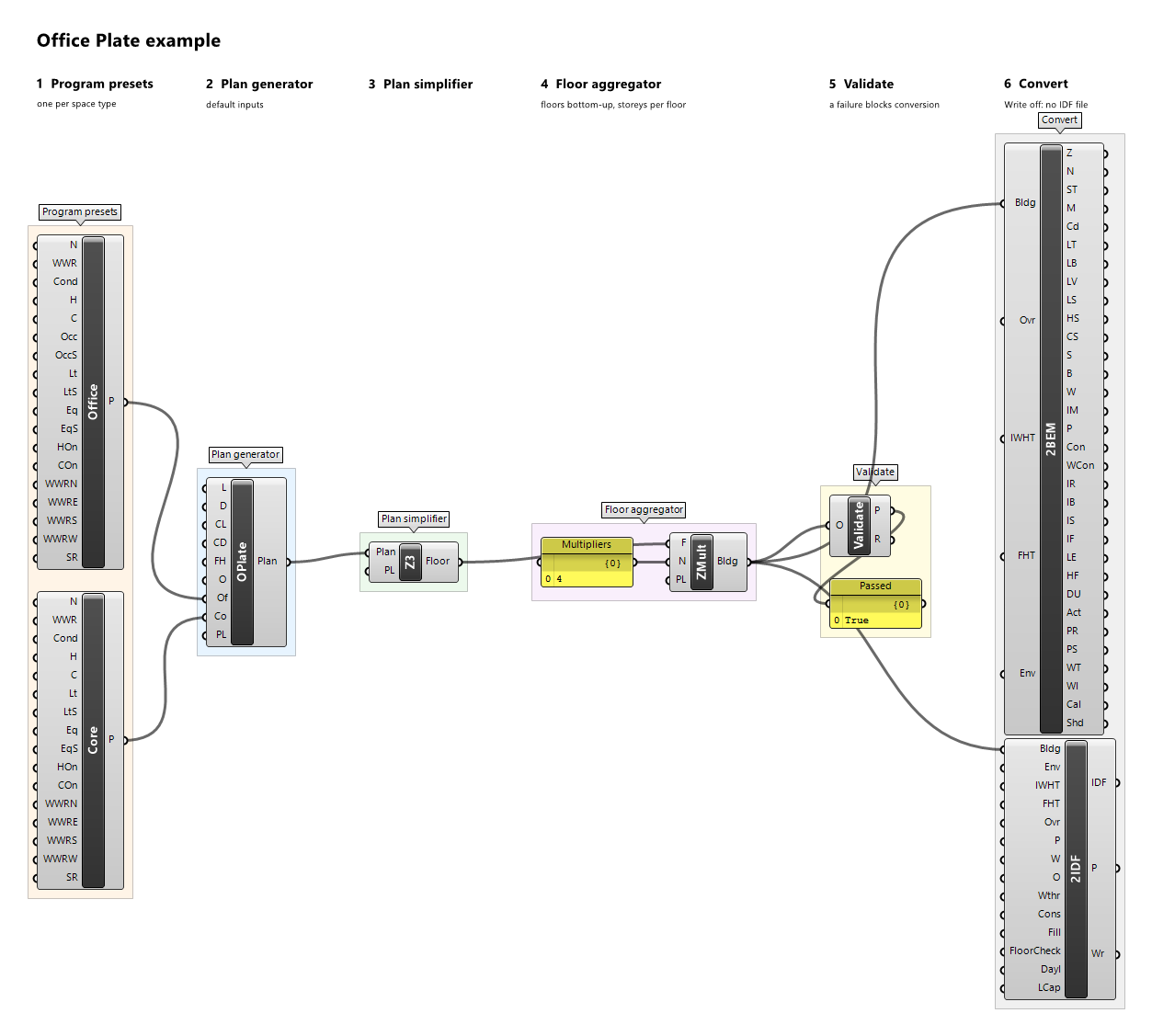
Component · nickname Core · GUID ca44b061-1ced-4ae3-afed-d806e6db2b7c · exposure primary
Program preset of an office service core: lifts, stairs, toilets, risers; space type Core. Every input defaults to the illustrative example values.
Inputs
| Name | Nickname | Type | Access | Optional | Default | Description |
|---|---|---|---|---|---|---|
| Name | N |
Text | item | no | Example Core |
Preset name; descriptive only (reports, provenance, messages), never used for matching. |
| WWR | WWR |
Number | item | no | 0 |
Window-to-wall ratio in [0, 1) used by the plan generator for every exterior wall. |
| Conditioned | Cond |
Boolean | item | no | True |
Whether the space is conditioned; the setpoints are ignored when it is not. A conditioned space needs Heating On or Cooling On. |
| Heating | H |
Number | item | no | 21 |
Constant heating setpoint, °C. |
| Cooling | C |
Number | item | no | 24 |
Constant cooling setpoint, °C. |
| Lighting | Lt |
Number | item | no | 5 |
Lighting design value, W/m². |
| Lighting Schedule | LtS |
Schedule | item | yes | – | Optional fraction schedule of Lighting; replaces the built-in schedule 'Example Office Lighting' when connected. |
| Equipment | Eq |
Number | item | no | 3 |
Equipment design value, W/m². |
| Equipment Schedule | EqS |
Schedule | item | yes | – | Optional fraction schedule of Equipment; replaces the built-in schedule 'Example Office Equipment' when connected. |
| Heating On | HOn |
Boolean | item | no | True |
Whether a conditioned space is heated at the Heating setpoint; when false, Heating is ignored. |
| Cooling On | COn |
Boolean | item | no | True |
Whether a conditioned space is cooled at the Cooling setpoint; when false, Cooling is ignored. |
| WWR North | WWRN |
Number | item | yes | – | Window-to-wall ratio in [0, 1) of the outdoor walls facing north, true azimuth [315°, 45°) after the plan's orientation. Unset: WWR. |
| WWR East | WWRE |
Number | item | yes | – | Window-to-wall ratio in [0, 1) of the outdoor walls facing east, true azimuth [45°, 135°) after the plan's orientation. Unset: WWR. |
| WWR South | WWRS |
Number | item | yes | – | Window-to-wall ratio in [0, 1) of the outdoor walls facing south, true azimuth [135°, 225°) after the plan's orientation. Unset: WWR. |
| WWR West | WWRW |
Number | item | yes | – | Window-to-wall ratio in [0, 1) of the outdoor walls facing west, true azimuth [225°, 315°) after the plan's orientation. Unset: WWR. |
| Skylight Ratio | SR |
Number | item | yes | 0 |
Skylight ratio in [0, 1): a zone's roof takes one skylight of this ratio × its roof area, centred in the roof's largest grid rectangle; only roofs facing outdoors, terraces included, get skylights. |
Outputs
| Name | Nickname | Type | Access | Description |
|---|---|---|---|---|
| Preset | P |
Program Preset | item | The program preset. |
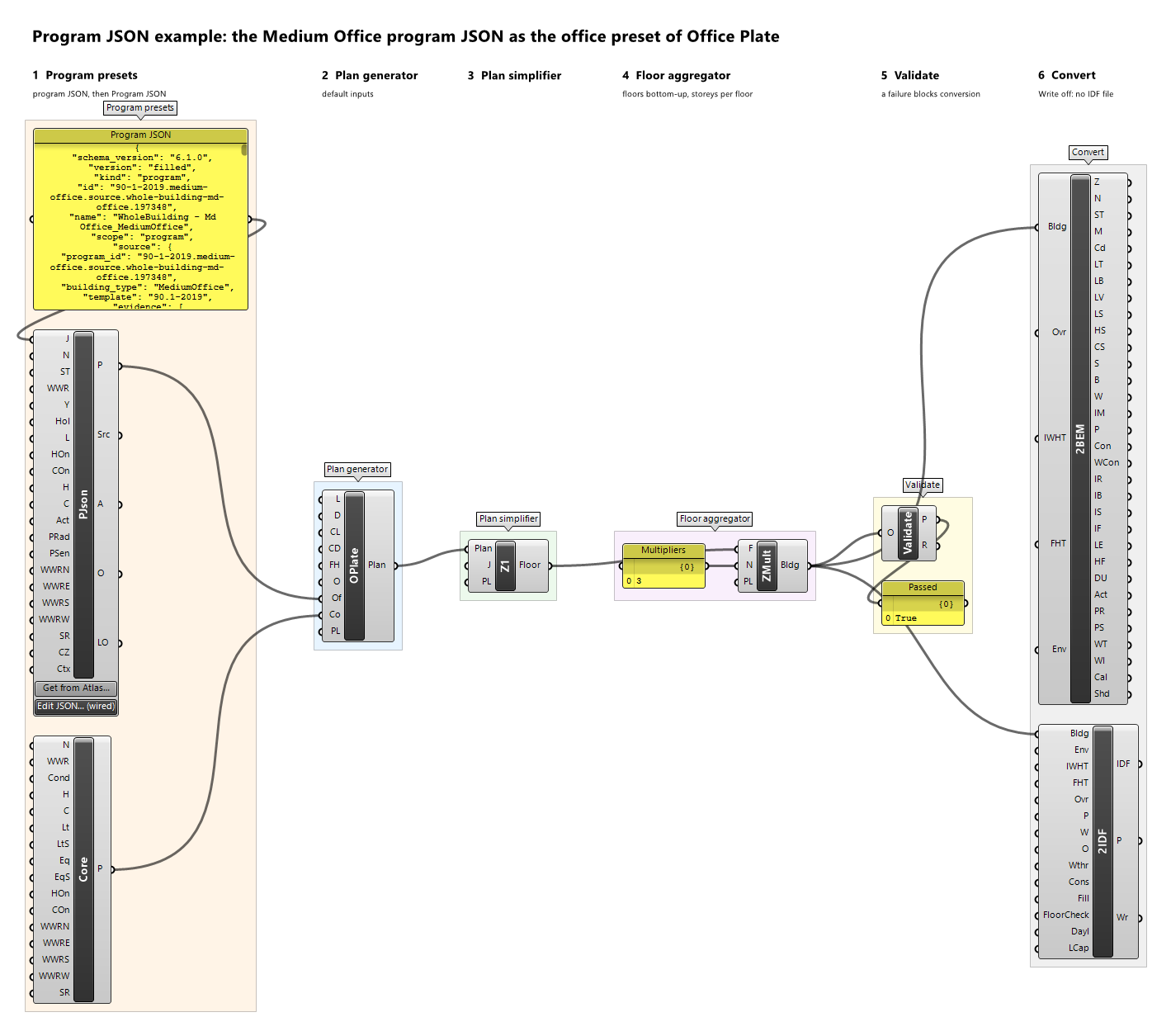
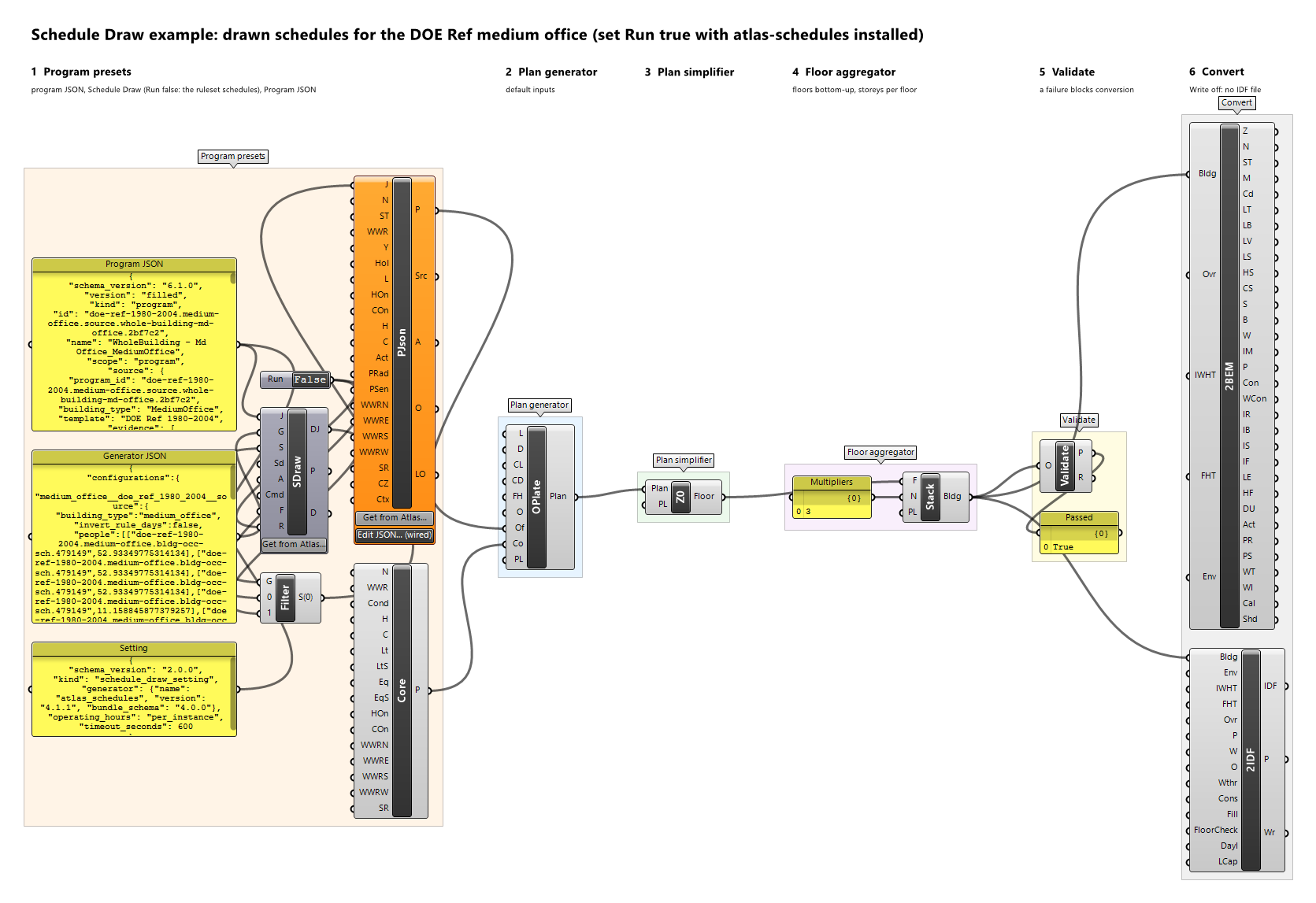
Example definitions: office-plate.gh (canvas), program-json-office.gh (canvas), schedule-draw.gh (canvas).
Corridor Preset

Component · nickname Corr · GUID 5947d3ea-25fe-4dc3-b388-384d8326826e · exposure primary
Program preset of a corridor. Every input defaults to the illustrative example values.
Inputs
| Name | Nickname | Type | Access | Optional | Default | Description |
|---|---|---|---|---|---|---|
| Name | N |
Text | item | no | Example Corridor |
Preset name; descriptive only (reports, provenance, messages), never used for matching. |
| WWR | WWR |
Number | item | no | 0.2 |
Window-to-wall ratio in [0, 1) used by the plan generator for every exterior wall. |
| Conditioned | Cond |
Boolean | item | no | True |
Whether the space is conditioned; the setpoints are ignored when it is not. A conditioned space needs Heating On or Cooling On. |
| Heating | H |
Number | item | no | 21 |
Constant heating setpoint, °C. |
| Cooling | C |
Number | item | no | 24 |
Constant cooling setpoint, °C. |
| Lighting | Lt |
Number | item | no | 5 |
Lighting design value, W/m². |
| Lighting Schedule | LtS |
Schedule | item | yes | – | Optional fraction schedule of Lighting; replaces the built-in schedule 'Example Always On' when connected. |
| Heating On | HOn |
Boolean | item | no | True |
Whether a conditioned space is heated at the Heating setpoint; when false, Heating is ignored. |
| Cooling On | COn |
Boolean | item | no | True |
Whether a conditioned space is cooled at the Cooling setpoint; when false, Cooling is ignored. |
| WWR North | WWRN |
Number | item | yes | – | Window-to-wall ratio in [0, 1) of the outdoor walls facing north, true azimuth [315°, 45°) after the plan's orientation. Unset: WWR. |
| WWR East | WWRE |
Number | item | yes | – | Window-to-wall ratio in [0, 1) of the outdoor walls facing east, true azimuth [45°, 135°) after the plan's orientation. Unset: WWR. |
| WWR South | WWRS |
Number | item | yes | – | Window-to-wall ratio in [0, 1) of the outdoor walls facing south, true azimuth [135°, 225°) after the plan's orientation. Unset: WWR. |
| WWR West | WWRW |
Number | item | yes | – | Window-to-wall ratio in [0, 1) of the outdoor walls facing west, true azimuth [225°, 315°) after the plan's orientation. Unset: WWR. |
| Skylight Ratio | SR |
Number | item | yes | 0 |
Skylight ratio in [0, 1): a zone's roof takes one skylight of this ratio × its roof area, centred in the roof's largest grid rectangle; only roofs facing outdoors, terraces included, get skylights. |
Outputs
| Name | Nickname | Type | Access | Description |
|---|---|---|---|---|
| Preset | P |
Program Preset | item | The program preset. |
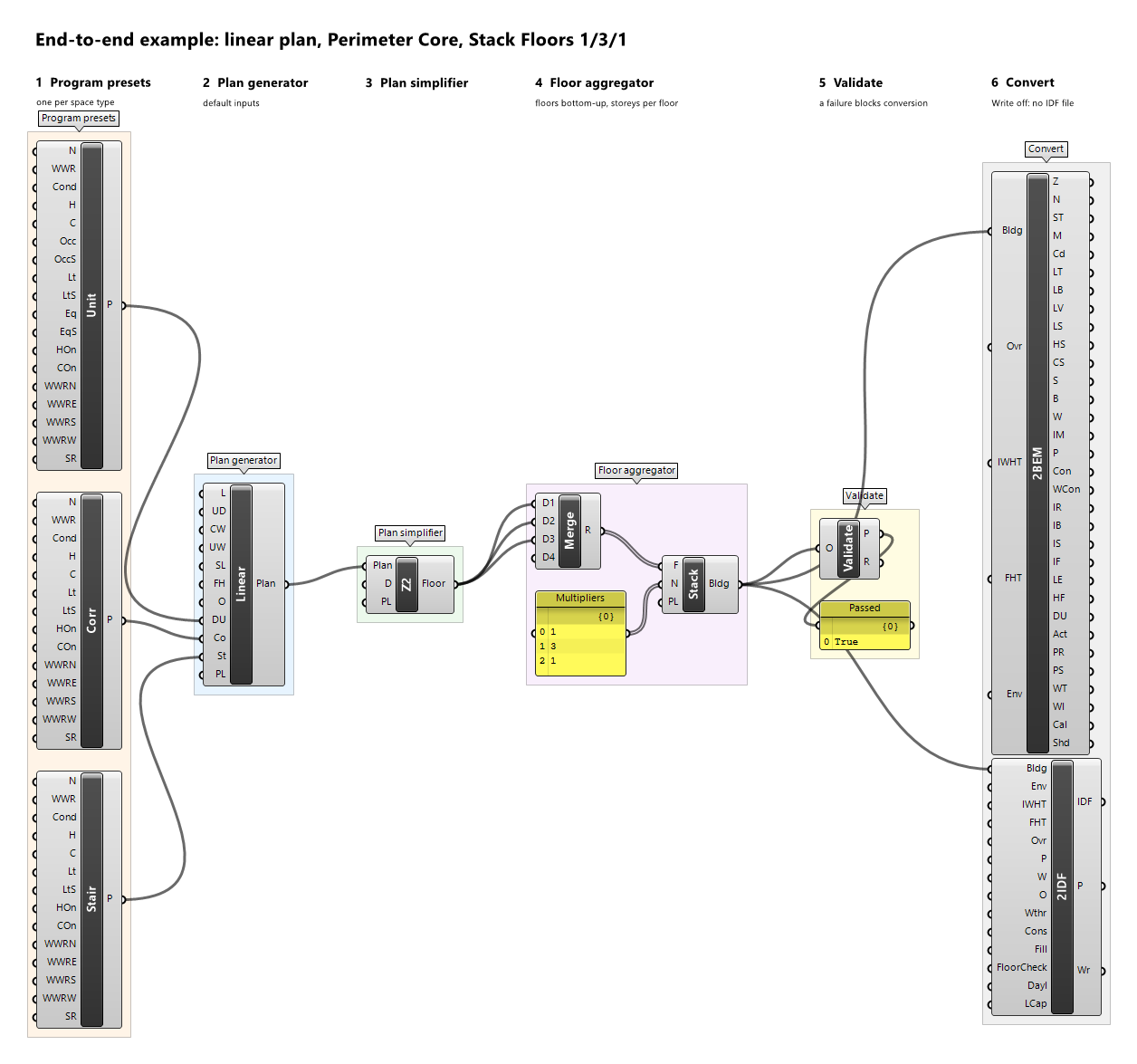
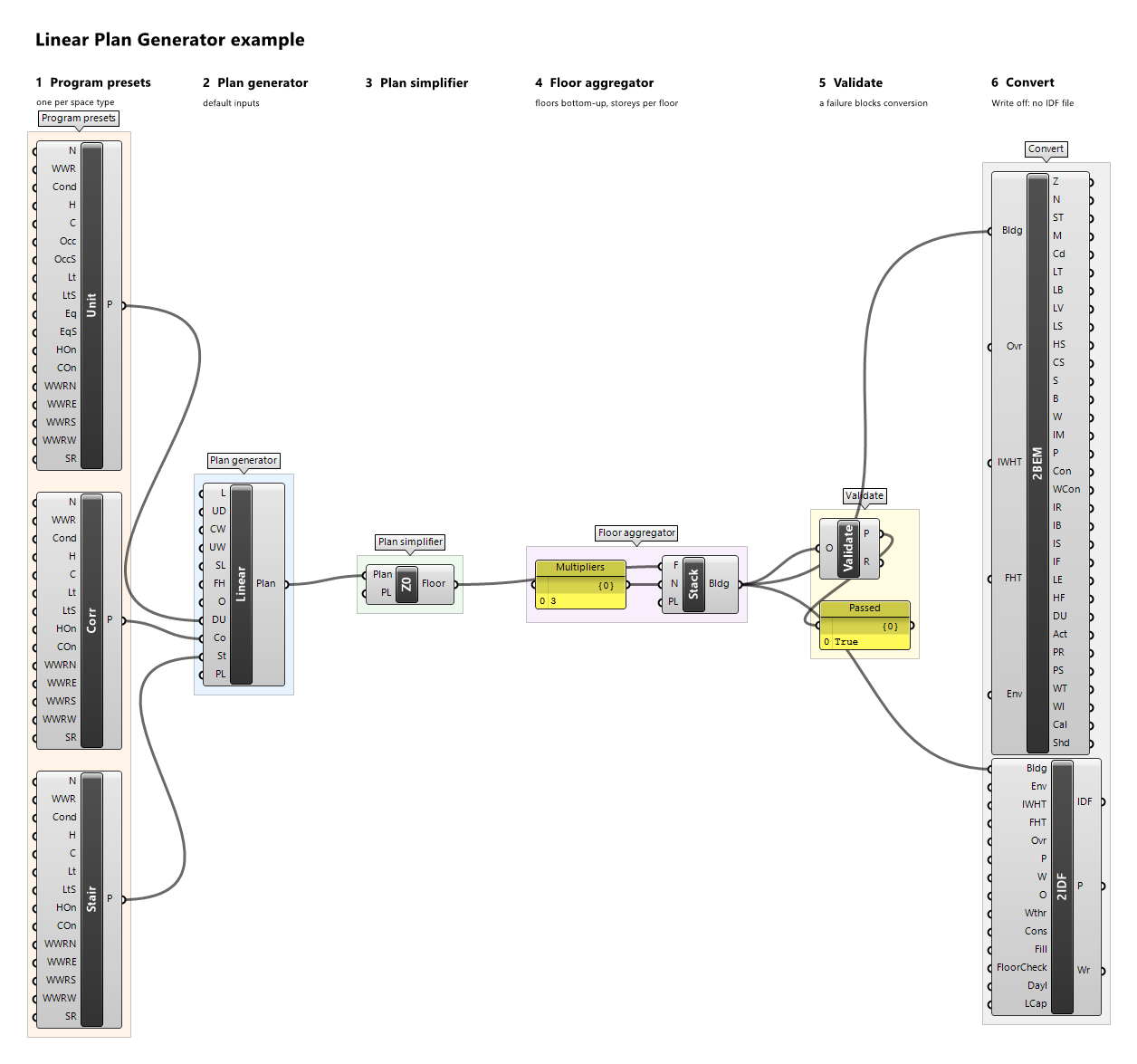
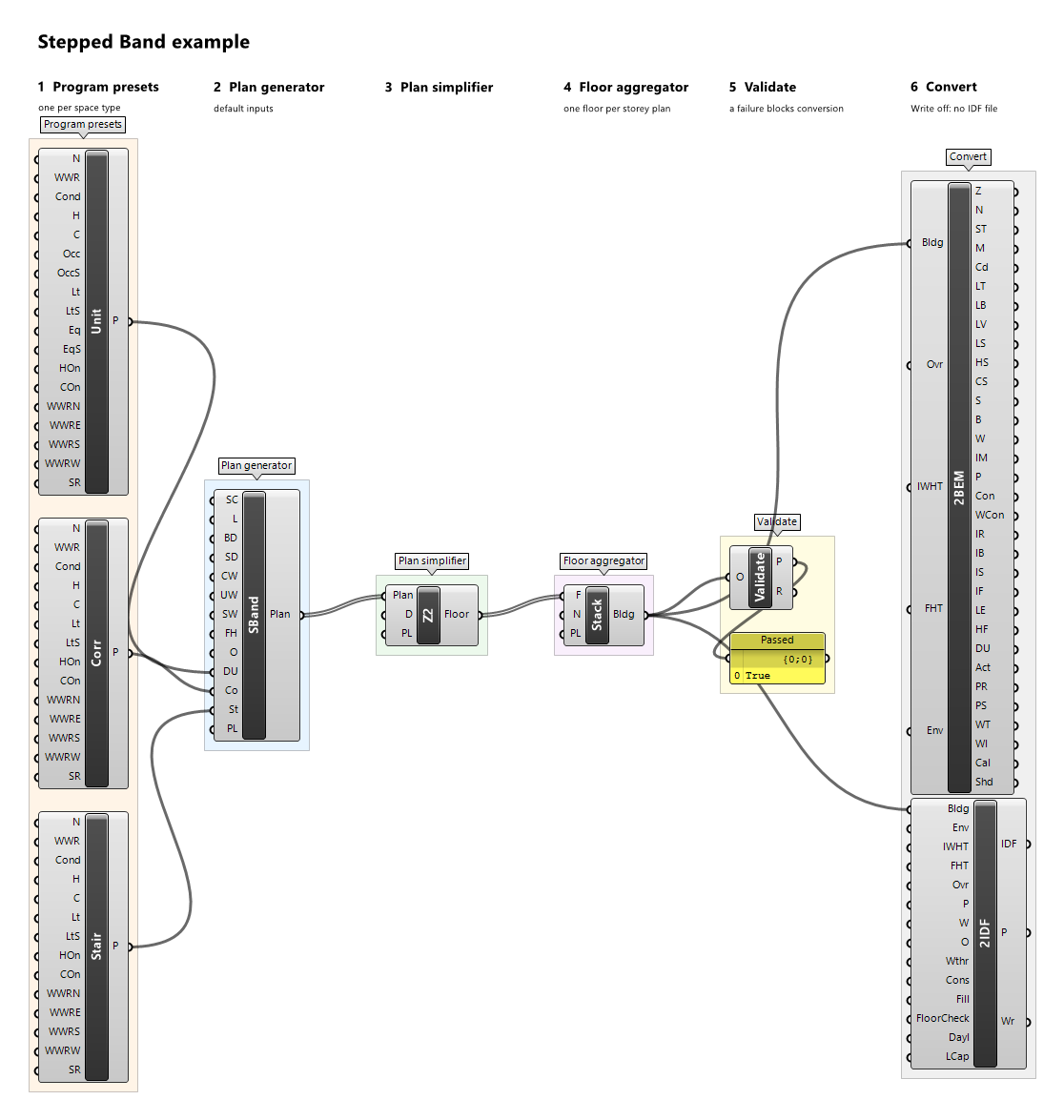
Example definitions: care-hub.gh (canvas), end-to-end.gh (canvas), linear-plan.gh (canvas), stepped-band.gh (canvas).
Dining Preset

Component · nickname Dine · GUID c8b05fa2-330a-4e8a-acaa-e57ca57b4fd9 · exposure primary
Program preset of a dining field; space type Dining. Every input defaults to the illustrative example values.
Inputs
| Name | Nickname | Type | Access | Optional | Default | Description |
|---|---|---|---|---|---|---|
| Name | N |
Text | item | no | Example Dining |
Preset name; descriptive only (reports, provenance, messages), never used for matching. |
| WWR | WWR |
Number | item | no | 0.4 |
Window-to-wall ratio in [0, 1) used by the plan generator for every exterior wall. |
| Conditioned | Cond |
Boolean | item | no | True |
Whether the space is conditioned; the setpoints are ignored when it is not. A conditioned space needs Heating On or Cooling On. |
| Heating | H |
Number | item | no | 21 |
Constant heating setpoint, °C. |
| Cooling | C |
Number | item | no | 24 |
Constant cooling setpoint, °C. |
| Occupancy | Occ |
Number | item | no | 0.6 |
Occupancy design value, people/m². |
| Occupancy Schedule | OccS |
Schedule | item | yes | – | Optional fraction schedule of Occupancy; replaces the built-in schedule 'Example Dining Occupancy' when connected. |
| Lighting | Lt |
Number | item | no | 10 |
Lighting design value, W/m². |
| Lighting Schedule | LtS |
Schedule | item | yes | – | Optional fraction schedule of Lighting; replaces the built-in schedule 'Example Dining Hours' when connected. |
| Equipment | Eq |
Number | item | no | 2 |
Equipment design value, W/m². |
| Equipment Schedule | EqS |
Schedule | item | yes | – | Optional fraction schedule of Equipment; replaces the built-in schedule 'Example Dining Hours' when connected. |
| Heating On | HOn |
Boolean | item | no | True |
Whether a conditioned space is heated at the Heating setpoint; when false, Heating is ignored. |
| Cooling On | COn |
Boolean | item | no | True |
Whether a conditioned space is cooled at the Cooling setpoint; when false, Cooling is ignored. |
| WWR North | WWRN |
Number | item | yes | – | Window-to-wall ratio in [0, 1) of the outdoor walls facing north, true azimuth [315°, 45°) after the plan's orientation. Unset: WWR. |
| WWR East | WWRE |
Number | item | yes | – | Window-to-wall ratio in [0, 1) of the outdoor walls facing east, true azimuth [45°, 135°) after the plan's orientation. Unset: WWR. |
| WWR South | WWRS |
Number | item | yes | – | Window-to-wall ratio in [0, 1) of the outdoor walls facing south, true azimuth [135°, 225°) after the plan's orientation. Unset: WWR. |
| WWR West | WWRW |
Number | item | yes | – | Window-to-wall ratio in [0, 1) of the outdoor walls facing west, true azimuth [225°, 315°) after the plan's orientation. Unset: WWR. |
| Skylight Ratio | SR |
Number | item | yes | 0 |
Skylight ratio in [0, 1): a zone's roof takes one skylight of this ratio × its roof area, centred in the roof's largest grid rectangle; only roofs facing outdoors, terraces included, get skylights. |
Outputs
| Name | Nickname | Type | Access | Description |
|---|---|---|---|---|
| Preset | P |
Program Preset | item | The program preset. |
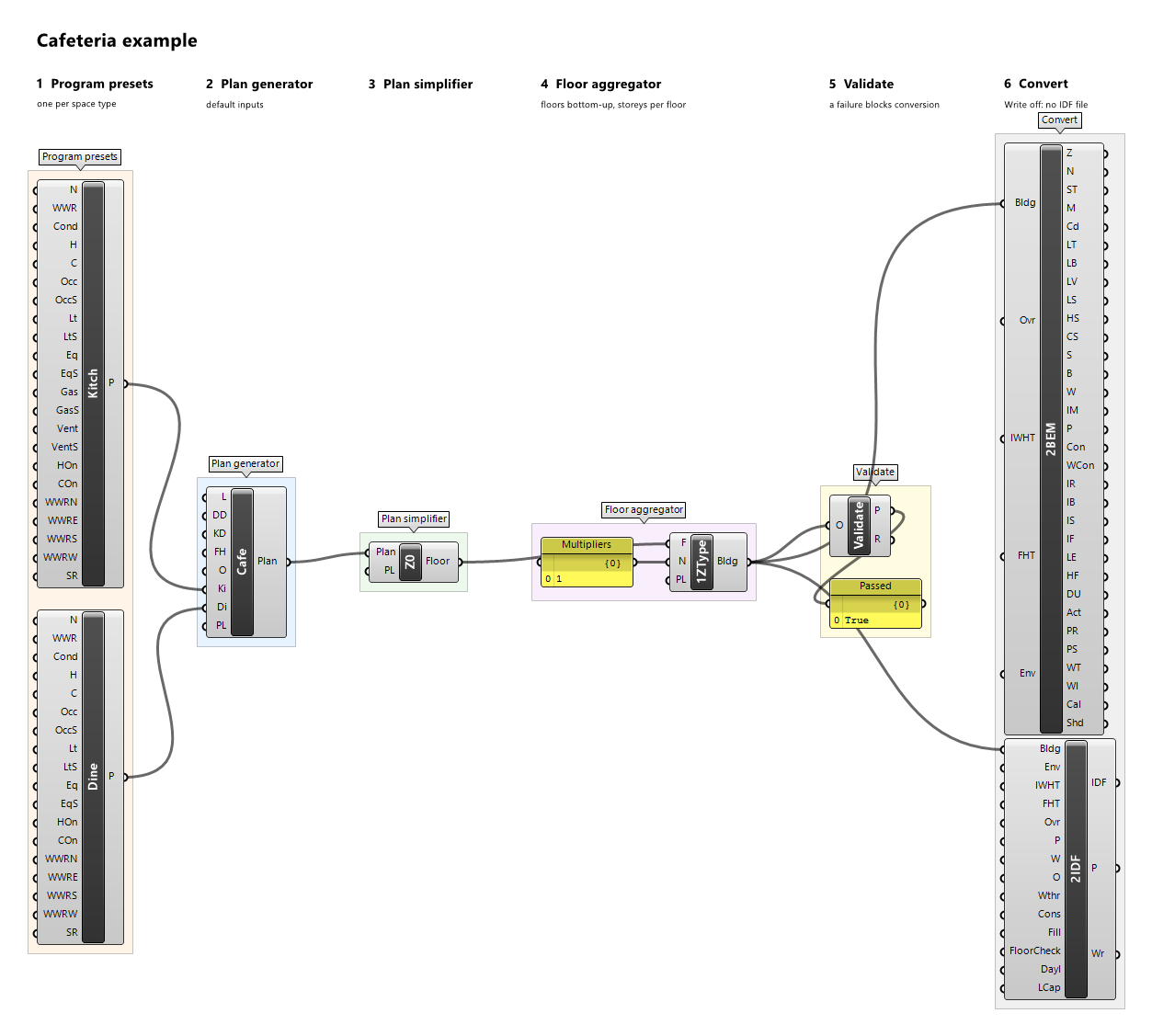
Example definitions: cafeteria.gh (canvas).
Dirty Corridor Preset

Component · nickname Dirty · GUID 0e61c86e-5981-4a11-b922-52650757e4a9 · exposure primary
Program preset of the dirty (disposal) route of an operating suite; space type DirtyCorridor. Every input defaults to the illustrative example values.
Inputs
| Name | Nickname | Type | Access | Optional | Default | Description |
|---|---|---|---|---|---|---|
| Name | N |
Text | item | no | Example Dirty Corridor |
Preset name; descriptive only (reports, provenance, messages), never used for matching. |
| WWR | WWR |
Number | item | no | 0.1 |
Window-to-wall ratio in [0, 1) used by the plan generator for every exterior wall. |
| Conditioned | Cond |
Boolean | item | no | True |
Whether the space is conditioned; the setpoints are ignored when it is not. A conditioned space needs Heating On or Cooling On. |
| Heating | H |
Number | item | no | 20 |
Constant heating setpoint, °C. |
| Cooling | C |
Number | item | no | 24 |
Constant cooling setpoint, °C. |
| Lighting | Lt |
Number | item | no | 8 |
Lighting design value, W/m². |
| Lighting Schedule | LtS |
Schedule | item | yes | – | Optional fraction schedule of Lighting; replaces the built-in schedule 'Example Always On' when connected. |
| Heating On | HOn |
Boolean | item | no | True |
Whether a conditioned space is heated at the Heating setpoint; when false, Heating is ignored. |
| Cooling On | COn |
Boolean | item | no | True |
Whether a conditioned space is cooled at the Cooling setpoint; when false, Cooling is ignored. |
| WWR North | WWRN |
Number | item | yes | – | Window-to-wall ratio in [0, 1) of the outdoor walls facing north, true azimuth [315°, 45°) after the plan's orientation. Unset: WWR. |
| WWR East | WWRE |
Number | item | yes | – | Window-to-wall ratio in [0, 1) of the outdoor walls facing east, true azimuth [45°, 135°) after the plan's orientation. Unset: WWR. |
| WWR South | WWRS |
Number | item | yes | – | Window-to-wall ratio in [0, 1) of the outdoor walls facing south, true azimuth [135°, 225°) after the plan's orientation. Unset: WWR. |
| WWR West | WWRW |
Number | item | yes | – | Window-to-wall ratio in [0, 1) of the outdoor walls facing west, true azimuth [225°, 315°) after the plan's orientation. Unset: WWR. |
| Skylight Ratio | SR |
Number | item | yes | 0 |
Skylight ratio in [0, 1): a zone's roof takes one skylight of this ratio × its roof area, centred in the roof's largest grid rectangle; only roofs facing outdoors, terraces included, get skylights. |
Outputs
| Name | Nickname | Type | Access | Description |
|---|---|---|---|---|
| Preset | P |
Program Preset | item | The program preset. |
Example definitions: operating-suite.gh (canvas).
Dwelling Unit Preset

Component · nickname Unit · GUID b491330c-bc92-42e7-b494-6946e66b599a · exposure primary
Program preset of a dwelling unit (one zone per unit). Every input defaults to the illustrative example values.
Inputs
| Name | Nickname | Type | Access | Optional | Default | Description |
|---|---|---|---|---|---|---|
| Name | N |
Text | item | no | Example Dwelling Unit |
Preset name; descriptive only (reports, provenance, messages), never used for matching. |
| WWR | WWR |
Number | item | no | 0.3 |
Window-to-wall ratio in [0, 1) used by the plan generator for every exterior wall. |
| Conditioned | Cond |
Boolean | item | no | True |
Whether the space is conditioned; the setpoints are ignored when it is not. A conditioned space needs Heating On or Cooling On. |
| Heating | H |
Number | item | no | 21 |
Constant heating setpoint, °C. |
| Cooling | C |
Number | item | no | 24 |
Constant cooling setpoint, °C. |
| Occupancy | Occ |
Number | item | no | 0.03 |
Occupancy design value, people/m². |
| Occupancy Schedule | OccS |
Schedule | item | yes | – | Optional fraction schedule of Occupancy; replaces the built-in schedule 'Example Dwelling Occupancy' when connected. |
| Lighting | Lt |
Number | item | no | 5 |
Lighting design value, W/m². |
| Lighting Schedule | LtS |
Schedule | item | yes | – | Optional fraction schedule of Lighting; replaces the built-in schedule 'Example Dwelling Lighting' when connected. |
| Equipment | Eq |
Number | item | no | 5 |
Equipment design value, W/m². |
| Equipment Schedule | EqS |
Schedule | item | yes | – | Optional fraction schedule of Equipment; replaces the built-in schedule 'Example Dwelling Equipment' when connected. |
| Heating On | HOn |
Boolean | item | no | True |
Whether a conditioned space is heated at the Heating setpoint; when false, Heating is ignored. |
| Cooling On | COn |
Boolean | item | no | True |
Whether a conditioned space is cooled at the Cooling setpoint; when false, Cooling is ignored. |
| WWR North | WWRN |
Number | item | yes | – | Window-to-wall ratio in [0, 1) of the outdoor walls facing north, true azimuth [315°, 45°) after the plan's orientation. Unset: WWR. |
| WWR East | WWRE |
Number | item | yes | – | Window-to-wall ratio in [0, 1) of the outdoor walls facing east, true azimuth [45°, 135°) after the plan's orientation. Unset: WWR. |
| WWR South | WWRS |
Number | item | yes | – | Window-to-wall ratio in [0, 1) of the outdoor walls facing south, true azimuth [135°, 225°) after the plan's orientation. Unset: WWR. |
| WWR West | WWRW |
Number | item | yes | – | Window-to-wall ratio in [0, 1) of the outdoor walls facing west, true azimuth [225°, 315°) after the plan's orientation. Unset: WWR. |
| Skylight Ratio | SR |
Number | item | yes | 0 |
Skylight ratio in [0, 1): a zone's roof takes one skylight of this ratio × its roof area, centred in the roof's largest grid rectangle; only roofs facing outdoors, terraces included, get skylights. |
Outputs
| Name | Nickname | Type | Access | Description |
|---|---|---|---|---|
| Preset | P |
Program Preset | item | The program preset. |
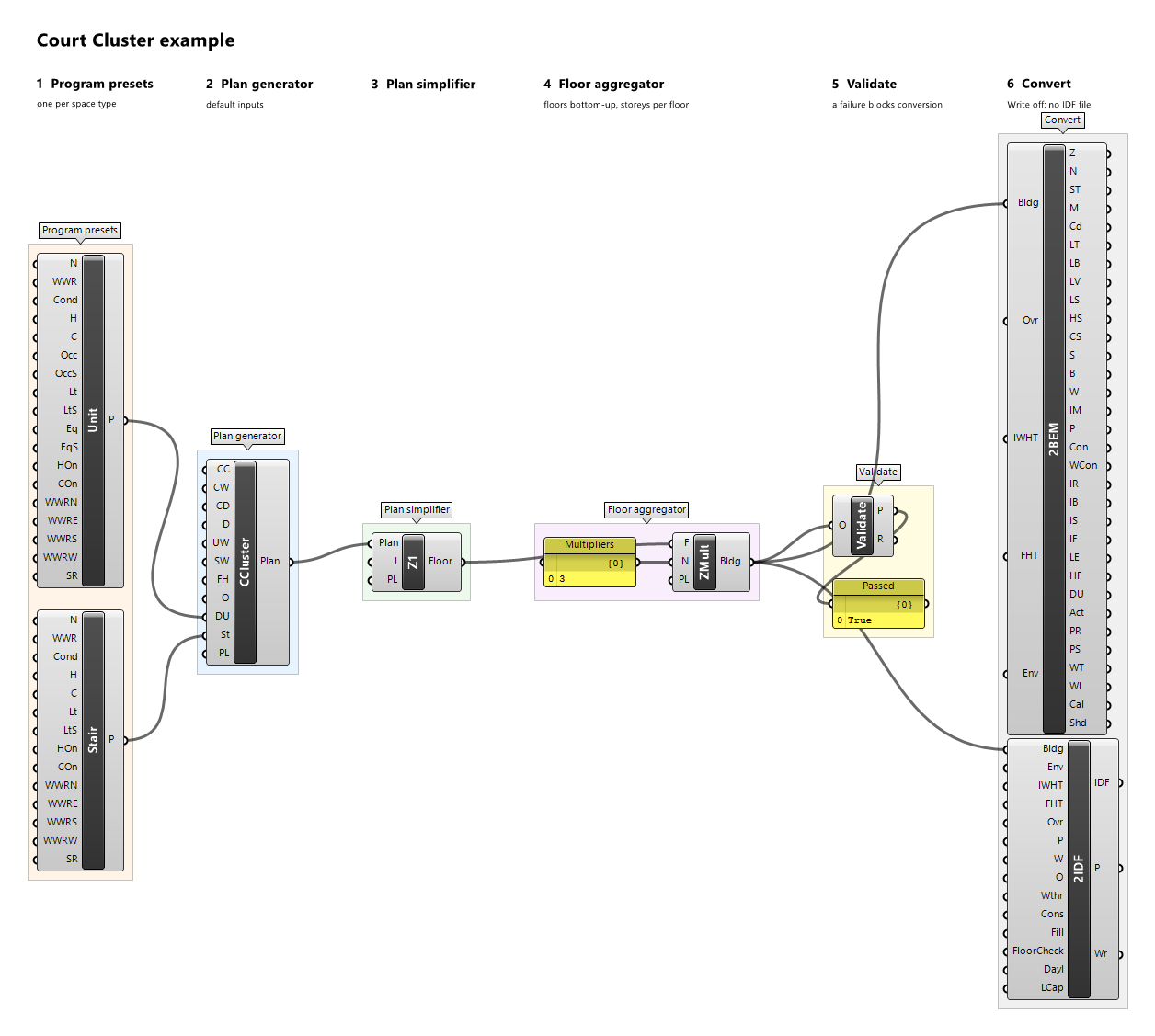
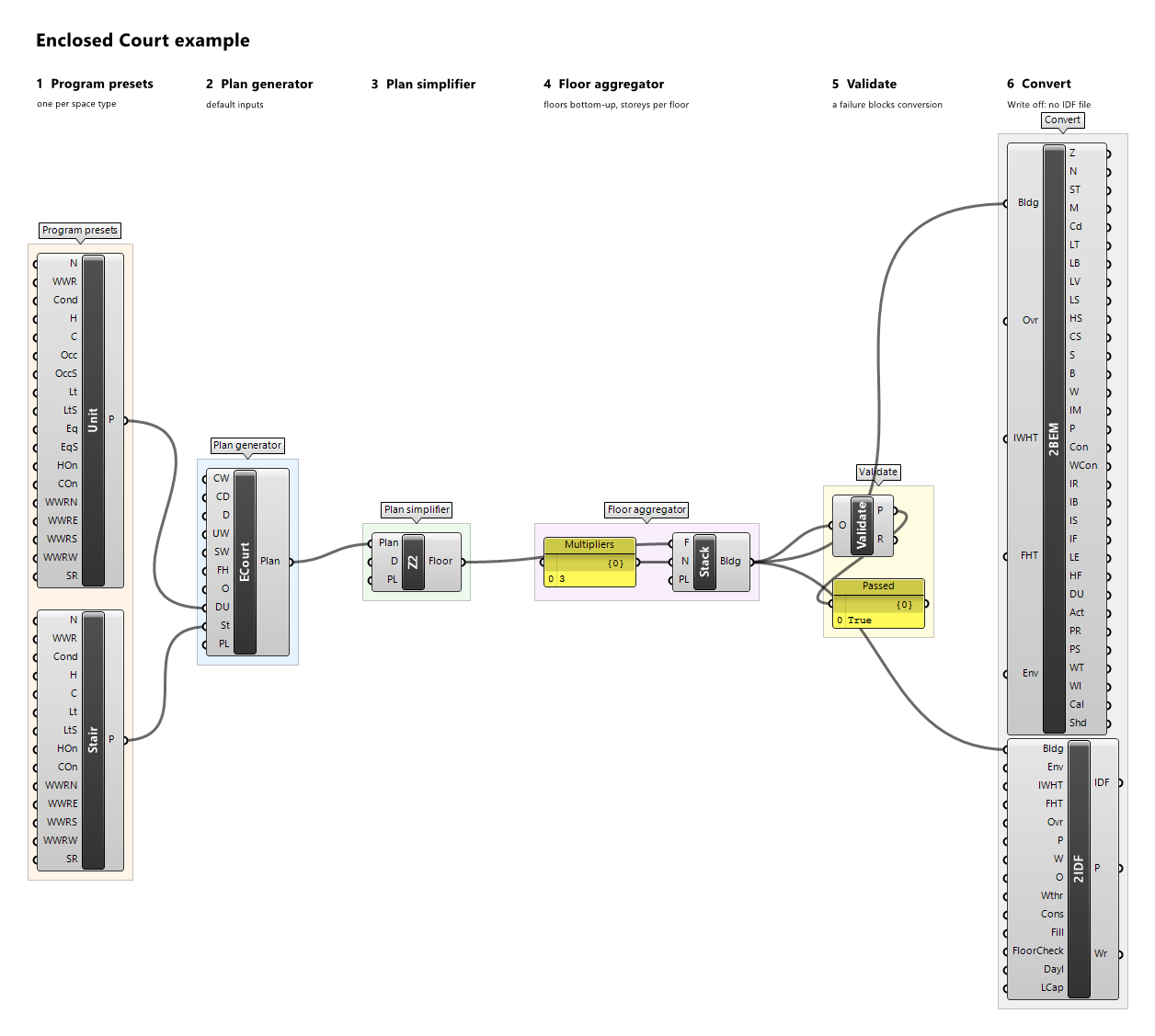
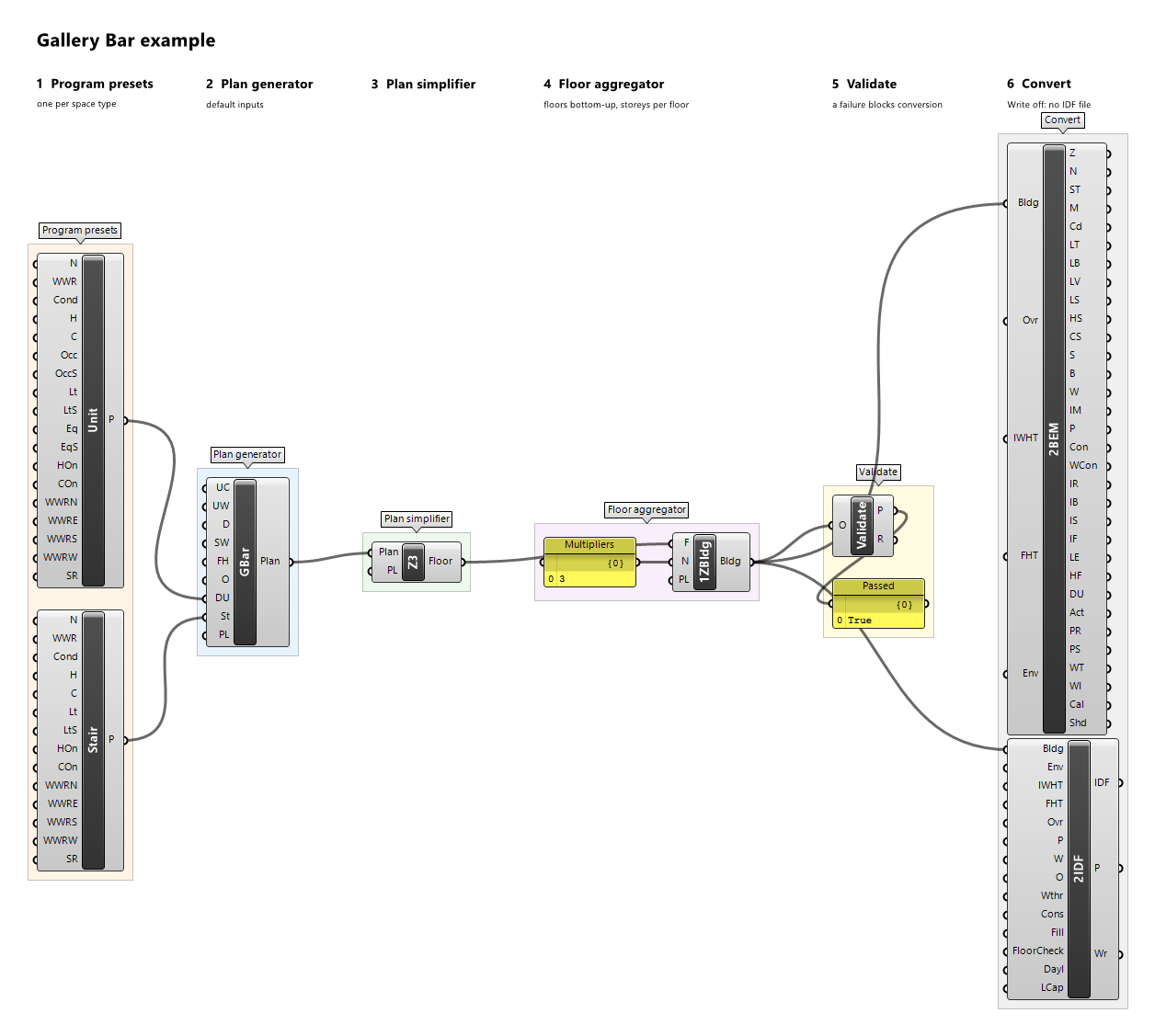
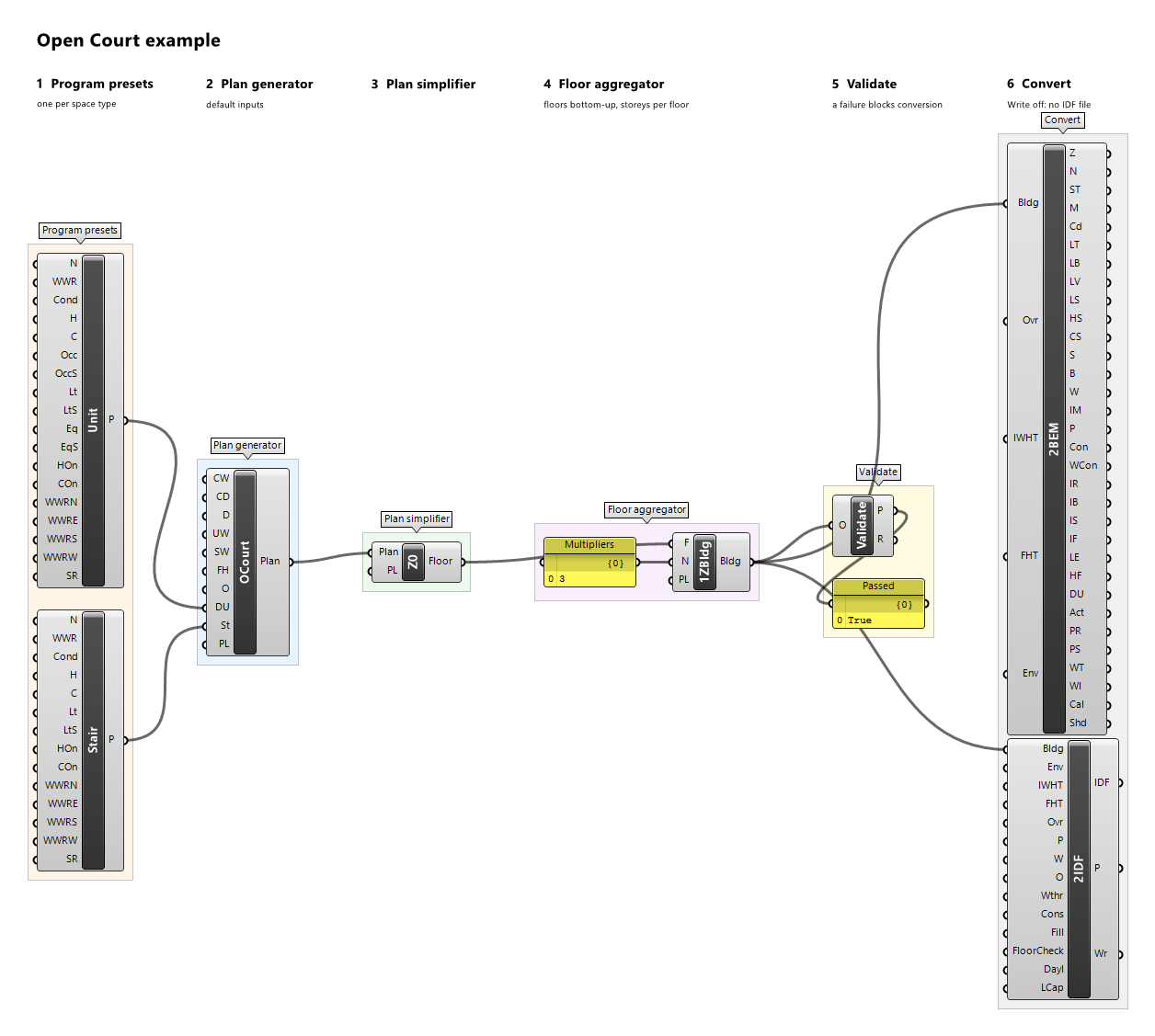
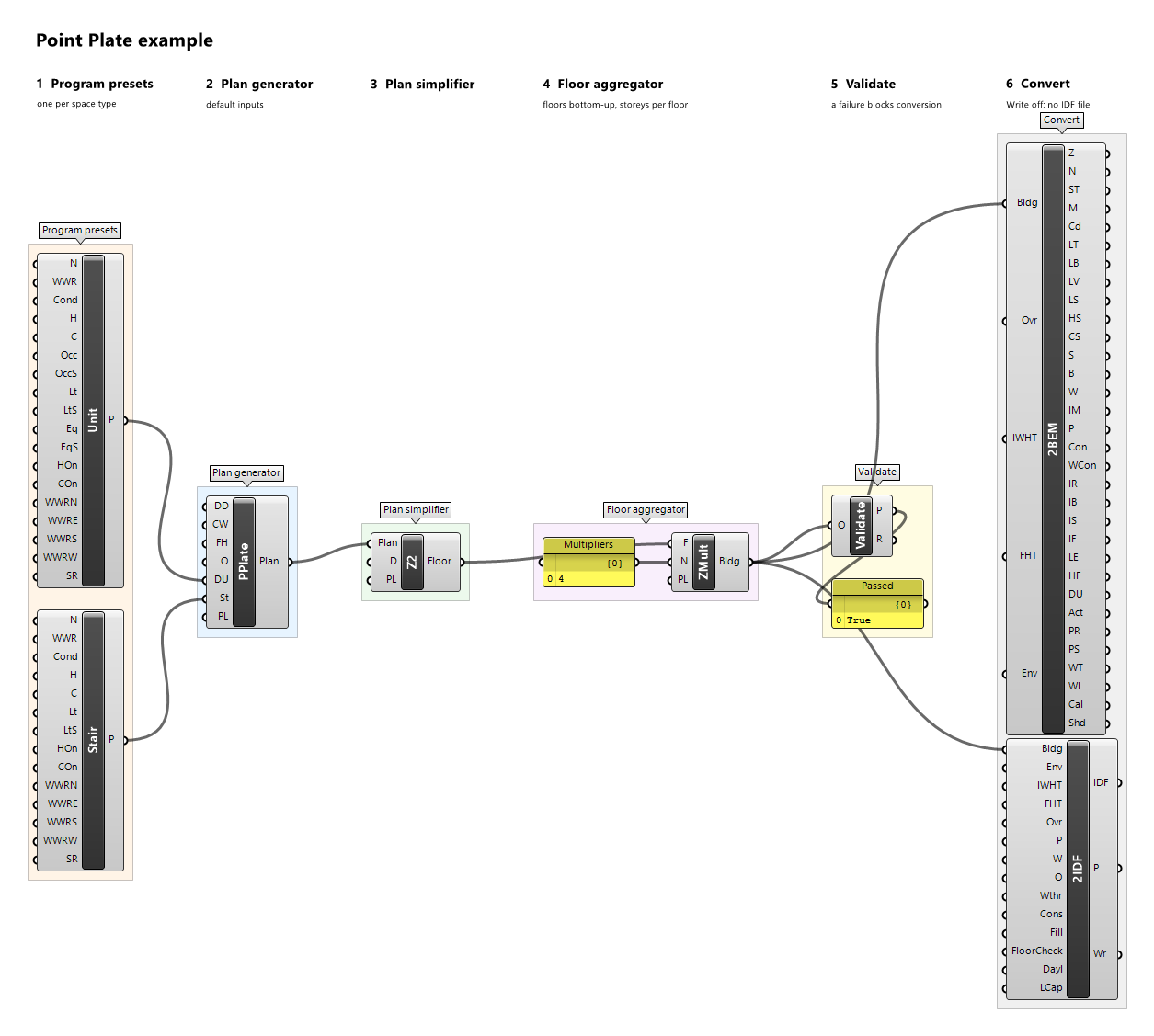
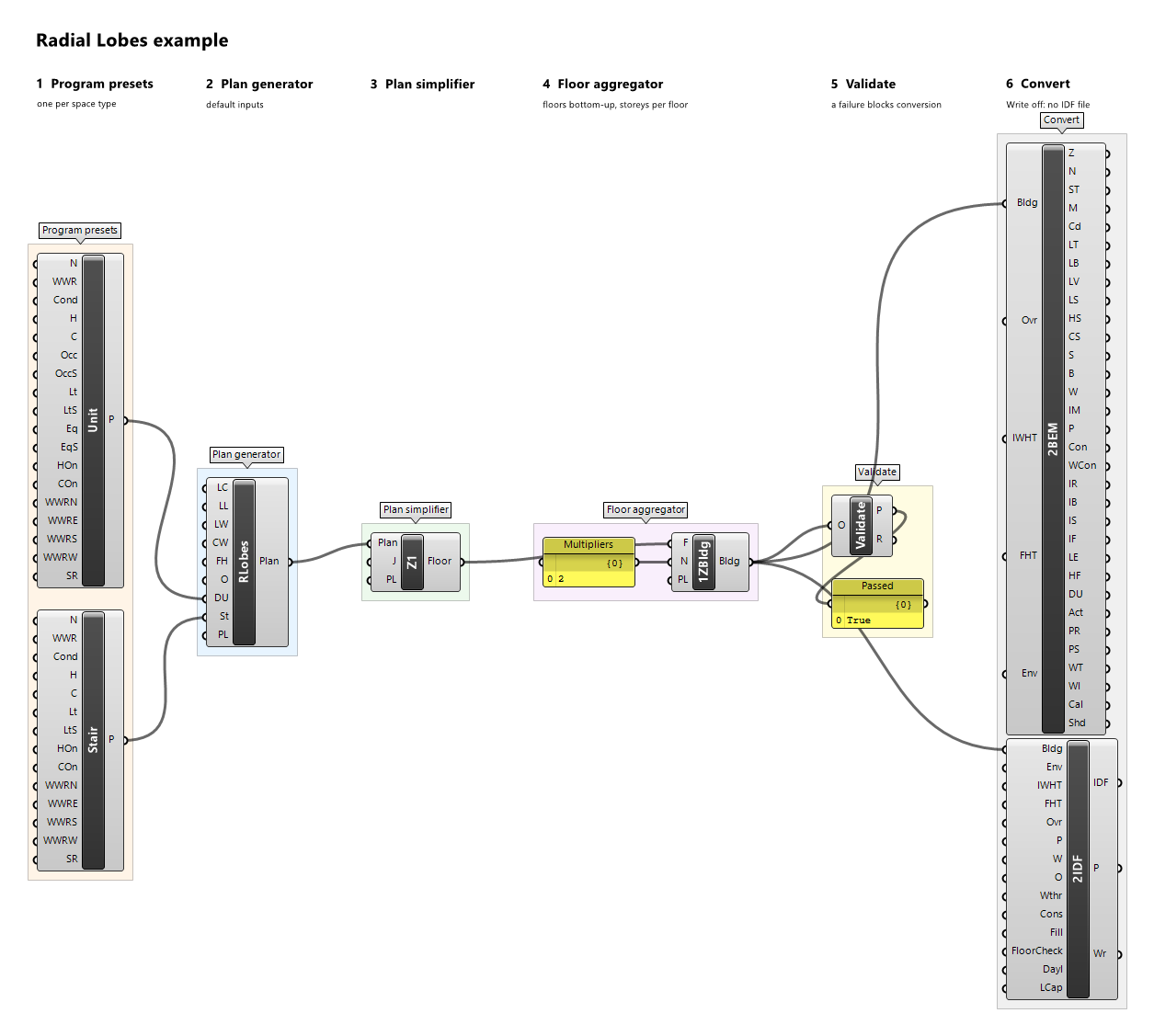
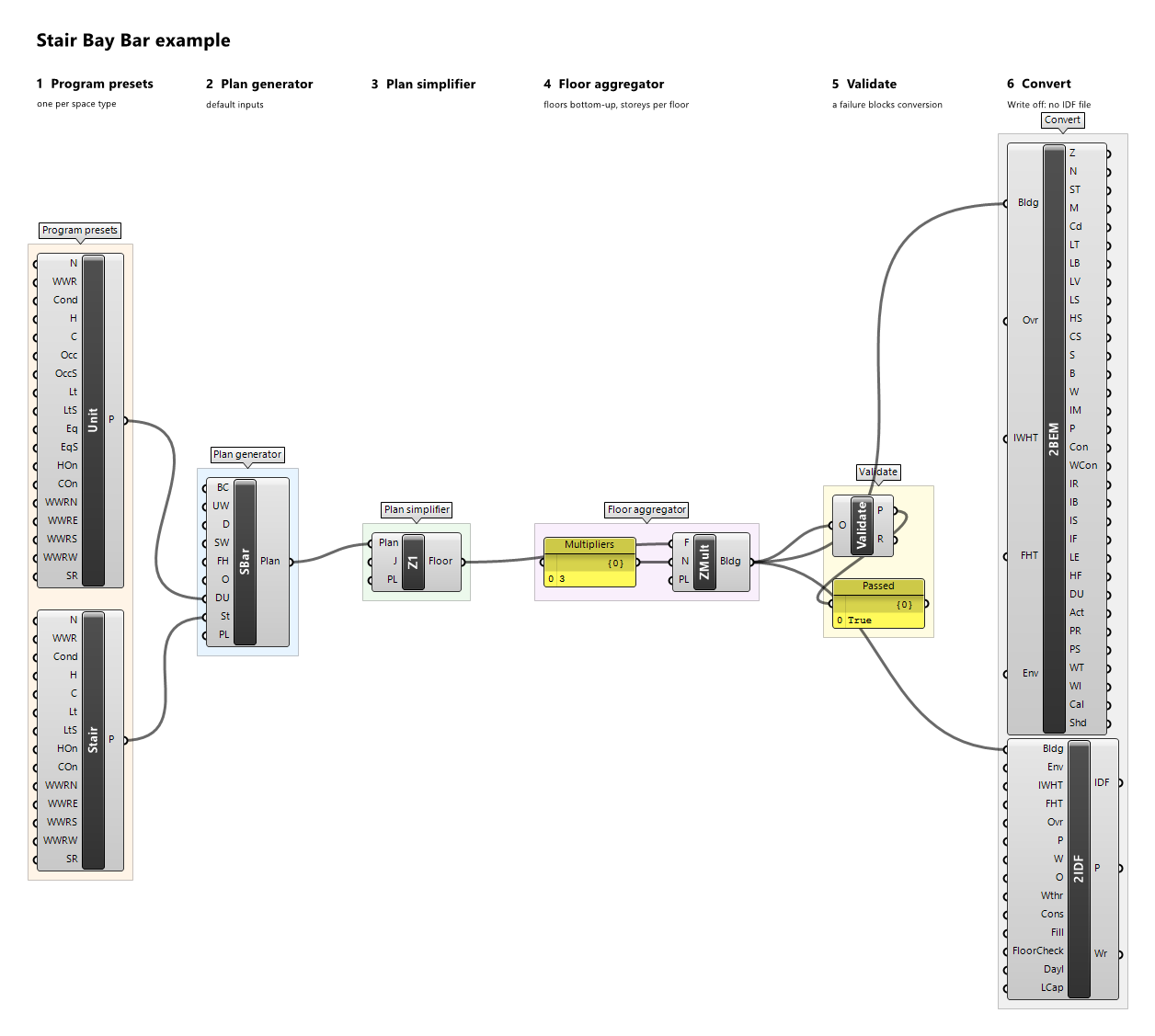
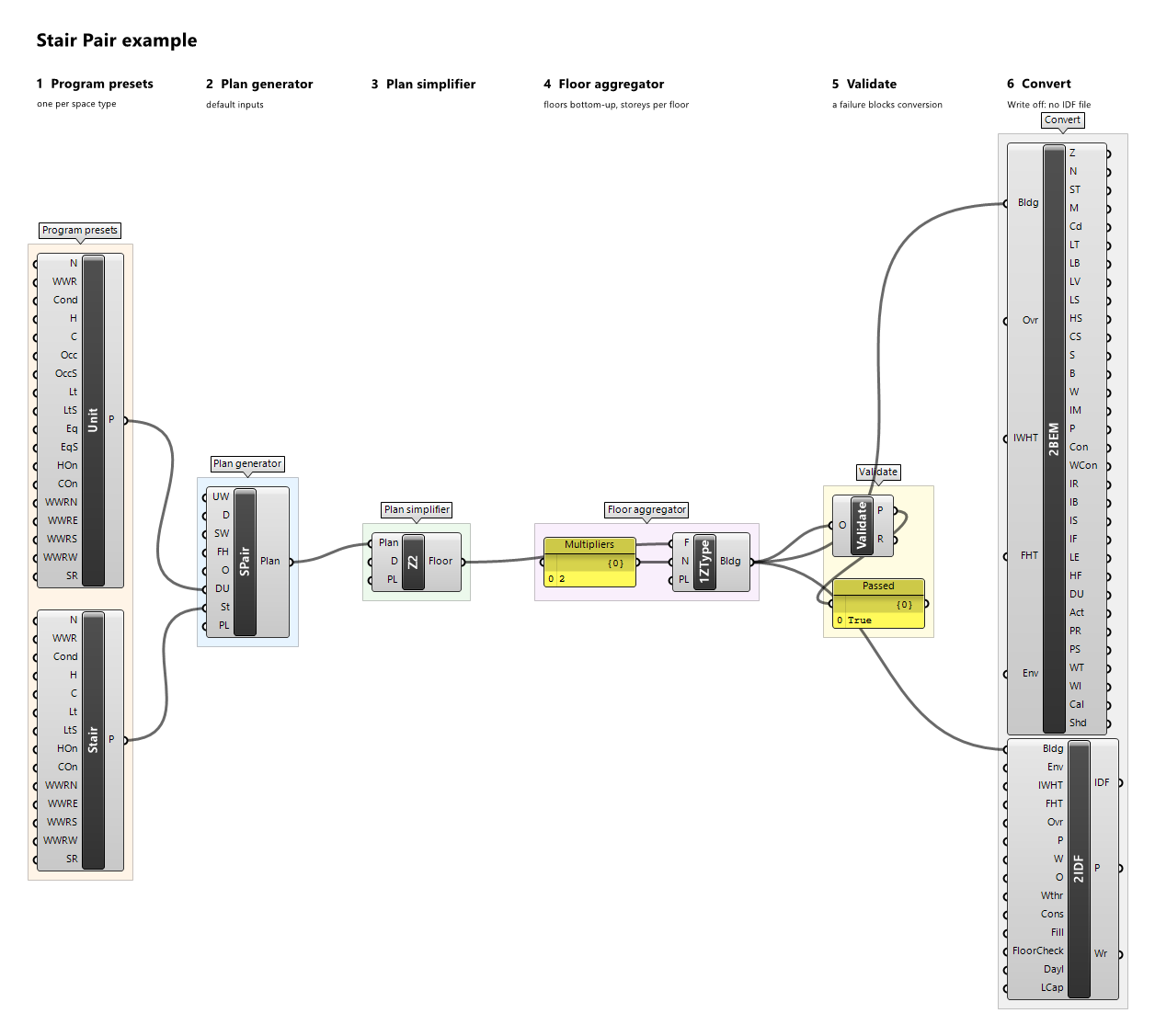
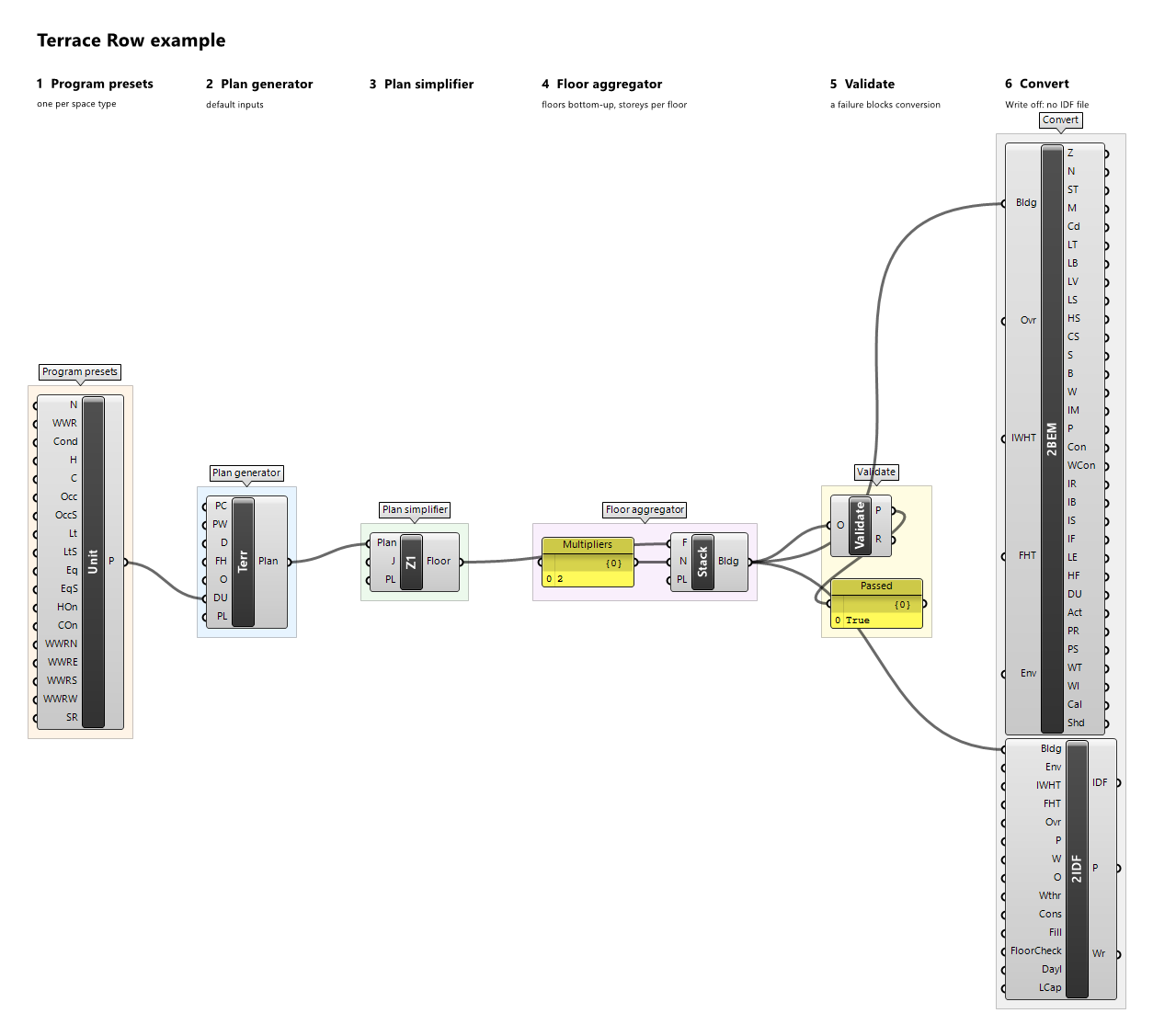
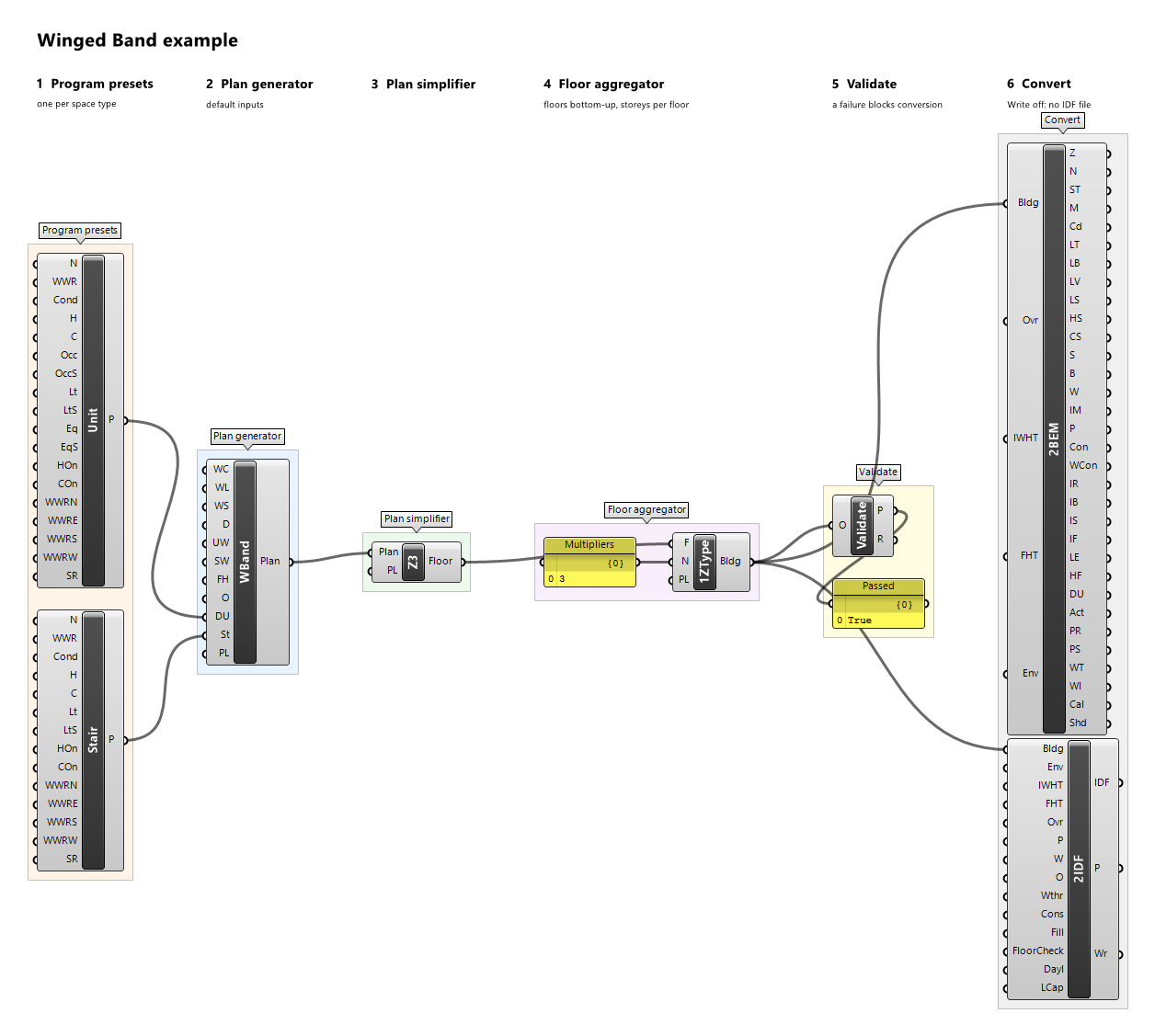
Example definitions: court-cluster.gh (canvas), enclosed-court.gh (canvas), end-to-end.gh (canvas), gallery-bar.gh (canvas), linear-plan.gh (canvas), open-court.gh (canvas), point-plate.gh (canvas), radial-lobes.gh (canvas), stair-bay-bar.gh (canvas), stair-pair.gh (canvas), stepped-band.gh (canvas), terrace-row.gh (canvas), winged-band.gh (canvas).
Envelope Preset

Component · nickname Env · GUID 89ebd842-fc6e-4a06-95f5-2fcfe39f08b8 · exposure primary
Envelope preset for Convert2BEM and Convert2IDF: one layered construction per envelope role (exterior wall, roof, ground floor, exposed floor, interior wall, interior floor, internal mass), the window's simple glazing, and the building's infiltration, which every zone gets at conversion from its own exterior area or volume. The constructions are the illustrative example's; every input defaults to the example values.
Inputs
| Name | Nickname | Type | Access | Optional | Default | Description |
|---|---|---|---|---|---|---|
| Name | N |
Text | item | no | Example Envelope |
Preset name; descriptive only (provenance, messages). |
| Glazing | G |
Text | item | no | Example Double Glazing |
Name of the window's glazing, also the name of the window construction. |
| U-Factor | U |
Number | item | no | 1.8 |
Window U-factor, W/(m²·K), in (0, 7]. |
| SHGC | SHGC |
Number | item | no | 0.4 |
Window solar heat gain coefficient, in (0, 1). |
| VT | VT |
Number | item | no | 0.7 |
Window visible transmittance, in (0, 1). |
| Infiltration Rate | Inf |
Number | item | no | 0.3 |
Infiltration design rate of every zone, finite and not negative, in the unit of Infiltration Basis: m³/h per m² of the zone's exterior surface area (outdoor walls, roofs, and exposed floors, windows included) or of its outdoor wall area, or air changes per hour (1/h) of its volume. |
| Infiltration Basis | InfB |
Text | item | no | AirChangesPerHour |
What Infiltration Rate is per: PerExteriorSurfaceArea, PerExteriorWallArea, AirChangesPerHour. Right-click the input to choose one, or extract it as a dropdown. |
| Infiltration Schedule | InfS |
Schedule | item | yes | – | Optional fraction schedule multiplying Infiltration Rate; unset means always on (the example's 'Example Always On'). |
Outputs
| Name | Nickname | Type | Access | Description |
|---|---|---|---|---|
| Envelope | Env |
Envelope Preset | item | The envelope preset. |
Kitchen Preset

Component · nickname Kitch · GUID 658e05dc-c935-4518-bc99-512546153e1e · exposure primary
Program preset of a kitchen with its servery, one food-service department; space type Kitchen. Every input defaults to the illustrative example values.
Inputs
| Name | Nickname | Type | Access | Optional | Default | Description |
|---|---|---|---|---|---|---|
| Name | N |
Text | item | no | Example Kitchen |
Preset name; descriptive only (reports, provenance, messages), never used for matching. |
| WWR | WWR |
Number | item | no | 0.1 |
Window-to-wall ratio in [0, 1) used by the plan generator for every exterior wall. |
| Conditioned | Cond |
Boolean | item | no | True |
Whether the space is conditioned; the setpoints are ignored when it is not. A conditioned space needs Heating On or Cooling On. |
| Heating | H |
Number | item | no | 18 |
Constant heating setpoint, °C. |
| Cooling | C |
Number | item | no | 26 |
Constant cooling setpoint, °C. |
| Occupancy | Occ |
Number | item | no | 0.05 |
Occupancy design value, people/m². |
| Occupancy Schedule | OccS |
Schedule | item | yes | – | Optional fraction schedule of Occupancy; replaces the built-in schedule 'Example Kitchen Staff' when connected. |
| Lighting | Lt |
Number | item | no | 12 |
Lighting design value, W/m². |
| Lighting Schedule | LtS |
Schedule | item | yes | – | Optional fraction schedule of Lighting; replaces the built-in schedule 'Example Kitchen Hours' when connected. |
| Equipment | Eq |
Number | item | no | 30 |
Equipment design value, W/m². |
| Equipment Schedule | EqS |
Schedule | item | yes | – | Optional fraction schedule of Equipment; replaces the built-in schedule 'Example Kitchen Electric' when connected. |
| Gas Equipment | Gas |
Number | item | no | 40 |
Gas Equipment design value, W/m². |
| Gas Equipment Schedule | GasS |
Schedule | item | yes | – | Optional fraction schedule of Gas Equipment; replaces the built-in schedule 'Example Kitchen Gas' when connected. |
| Ventilation | Vent |
Number | item | no | 15 |
Ventilation design value, 1/h (air changes per hour). |
| Ventilation Schedule | VentS |
Schedule | item | yes | – | Optional fraction schedule of Ventilation; replaces the built-in schedule 'Example Kitchen Hours' when connected. |
| Heating On | HOn |
Boolean | item | no | True |
Whether a conditioned space is heated at the Heating setpoint; when false, Heating is ignored. |
| Cooling On | COn |
Boolean | item | no | True |
Whether a conditioned space is cooled at the Cooling setpoint; when false, Cooling is ignored. |
| WWR North | WWRN |
Number | item | yes | – | Window-to-wall ratio in [0, 1) of the outdoor walls facing north, true azimuth [315°, 45°) after the plan's orientation. Unset: WWR. |
| WWR East | WWRE |
Number | item | yes | – | Window-to-wall ratio in [0, 1) of the outdoor walls facing east, true azimuth [45°, 135°) after the plan's orientation. Unset: WWR. |
| WWR South | WWRS |
Number | item | yes | – | Window-to-wall ratio in [0, 1) of the outdoor walls facing south, true azimuth [135°, 225°) after the plan's orientation. Unset: WWR. |
| WWR West | WWRW |
Number | item | yes | – | Window-to-wall ratio in [0, 1) of the outdoor walls facing west, true azimuth [225°, 315°) after the plan's orientation. Unset: WWR. |
| Skylight Ratio | SR |
Number | item | yes | 0 |
Skylight ratio in [0, 1): a zone's roof takes one skylight of this ratio × its roof area, centred in the roof's largest grid rectangle; only roofs facing outdoors, terraces included, get skylights. |
Outputs
| Name | Nickname | Type | Access | Description |
|---|---|---|---|---|
| Preset | P |
Program Preset | item | The program preset. |
Example definitions: cafeteria.gh (canvas).
Lobby Preset

Component · nickname Lobby · GUID 395aebb3-3e49-4814-93ab-388da9de2360 · exposure primary
Program preset of a public foyer or entrance lobby; space type Lobby. Every input defaults to the illustrative example values.
Inputs
| Name | Nickname | Type | Access | Optional | Default | Description |
|---|---|---|---|---|---|---|
| Name | N |
Text | item | no | Example Lobby |
Preset name; descriptive only (reports, provenance, messages), never used for matching. |
| WWR | WWR |
Number | item | no | 0.5 |
Window-to-wall ratio in [0, 1) used by the plan generator for every exterior wall. |
| Conditioned | Cond |
Boolean | item | no | True |
Whether the space is conditioned; the setpoints are ignored when it is not. A conditioned space needs Heating On or Cooling On. |
| Heating | H |
Number | item | no | 20 |
Constant heating setpoint, °C. |
| Cooling | C |
Number | item | no | 24 |
Constant cooling setpoint, °C. |
| Occupancy | Occ |
Number | item | no | 0.1 |
Occupancy design value, people/m². |
| Occupancy Schedule | OccS |
Schedule | item | yes | – | Optional fraction schedule of Occupancy; replaces the built-in schedule 'Example Community Occupancy' when connected. |
| Lighting | Lt |
Number | item | no | 10 |
Lighting design value, W/m². |
| Lighting Schedule | LtS |
Schedule | item | yes | – | Optional fraction schedule of Lighting; replaces the built-in schedule 'Example Community Hours' when connected. |
| Heating On | HOn |
Boolean | item | no | True |
Whether a conditioned space is heated at the Heating setpoint; when false, Heating is ignored. |
| Cooling On | COn |
Boolean | item | no | True |
Whether a conditioned space is cooled at the Cooling setpoint; when false, Cooling is ignored. |
| WWR North | WWRN |
Number | item | yes | – | Window-to-wall ratio in [0, 1) of the outdoor walls facing north, true azimuth [315°, 45°) after the plan's orientation. Unset: WWR. |
| WWR East | WWRE |
Number | item | yes | – | Window-to-wall ratio in [0, 1) of the outdoor walls facing east, true azimuth [45°, 135°) after the plan's orientation. Unset: WWR. |
| WWR South | WWRS |
Number | item | yes | – | Window-to-wall ratio in [0, 1) of the outdoor walls facing south, true azimuth [135°, 225°) after the plan's orientation. Unset: WWR. |
| WWR West | WWRW |
Number | item | yes | – | Window-to-wall ratio in [0, 1) of the outdoor walls facing west, true azimuth [225°, 315°) after the plan's orientation. Unset: WWR. |
| Skylight Ratio | SR |
Number | item | yes | 0 |
Skylight ratio in [0, 1): a zone's roof takes one skylight of this ratio × its roof area, centred in the roof's largest grid rectangle; only roofs facing outdoors, terraces included, get skylights. |
Outputs
| Name | Nickname | Type | Access | Description |
|---|---|---|---|---|
| Preset | P |
Program Preset | item | The program preset. |
Example definitions: foyer-halls.gh (canvas).
Mall Preset

Component · nickname Mall · GUID dbd514d5-7553-4000-b10c-bca748e3b301 · exposure primary
Program preset of the public mall route; space type Mall. Every input defaults to the illustrative example values.
Inputs
| Name | Nickname | Type | Access | Optional | Default | Description |
|---|---|---|---|---|---|---|
| Name | N |
Text | item | no | Example Mall |
Preset name; descriptive only (reports, provenance, messages), never used for matching. |
| WWR | WWR |
Number | item | no | 0.2 |
Window-to-wall ratio in [0, 1) used by the plan generator for every exterior wall. |
| Conditioned | Cond |
Boolean | item | no | True |
Whether the space is conditioned; the setpoints are ignored when it is not. A conditioned space needs Heating On or Cooling On. |
| Heating | H |
Number | item | no | 20 |
Constant heating setpoint, °C. |
| Cooling | C |
Number | item | no | 24 |
Constant cooling setpoint, °C. |
| Occupancy | Occ |
Number | item | no | 0.1 |
Occupancy design value, people/m². |
| Occupancy Schedule | OccS |
Schedule | item | yes | – | Optional fraction schedule of Occupancy; replaces the built-in schedule 'Example Retail Occupancy' when connected. |
| Lighting | Lt |
Number | item | no | 10 |
Lighting design value, W/m². |
| Lighting Schedule | LtS |
Schedule | item | yes | – | Optional fraction schedule of Lighting; replaces the built-in schedule 'Example Retail Lighting' when connected. |
| Heating On | HOn |
Boolean | item | no | True |
Whether a conditioned space is heated at the Heating setpoint; when false, Heating is ignored. |
| Cooling On | COn |
Boolean | item | no | True |
Whether a conditioned space is cooled at the Cooling setpoint; when false, Cooling is ignored. |
| WWR North | WWRN |
Number | item | yes | – | Window-to-wall ratio in [0, 1) of the outdoor walls facing north, true azimuth [315°, 45°) after the plan's orientation. Unset: WWR. |
| WWR East | WWRE |
Number | item | yes | – | Window-to-wall ratio in [0, 1) of the outdoor walls facing east, true azimuth [45°, 135°) after the plan's orientation. Unset: WWR. |
| WWR South | WWRS |
Number | item | yes | – | Window-to-wall ratio in [0, 1) of the outdoor walls facing south, true azimuth [135°, 225°) after the plan's orientation. Unset: WWR. |
| WWR West | WWRW |
Number | item | yes | – | Window-to-wall ratio in [0, 1) of the outdoor walls facing west, true azimuth [225°, 315°) after the plan's orientation. Unset: WWR. |
| Skylight Ratio | SR |
Number | item | yes | 0 |
Skylight ratio in [0, 1): a zone's roof takes one skylight of this ratio × its roof area, centred in the roof's largest grid rectangle; only roofs facing outdoors, terraces included, get skylights. |
Outputs
| Name | Nickname | Type | Access | Description |
|---|---|---|---|---|
| Preset | P |
Program Preset | item | The program preset. |
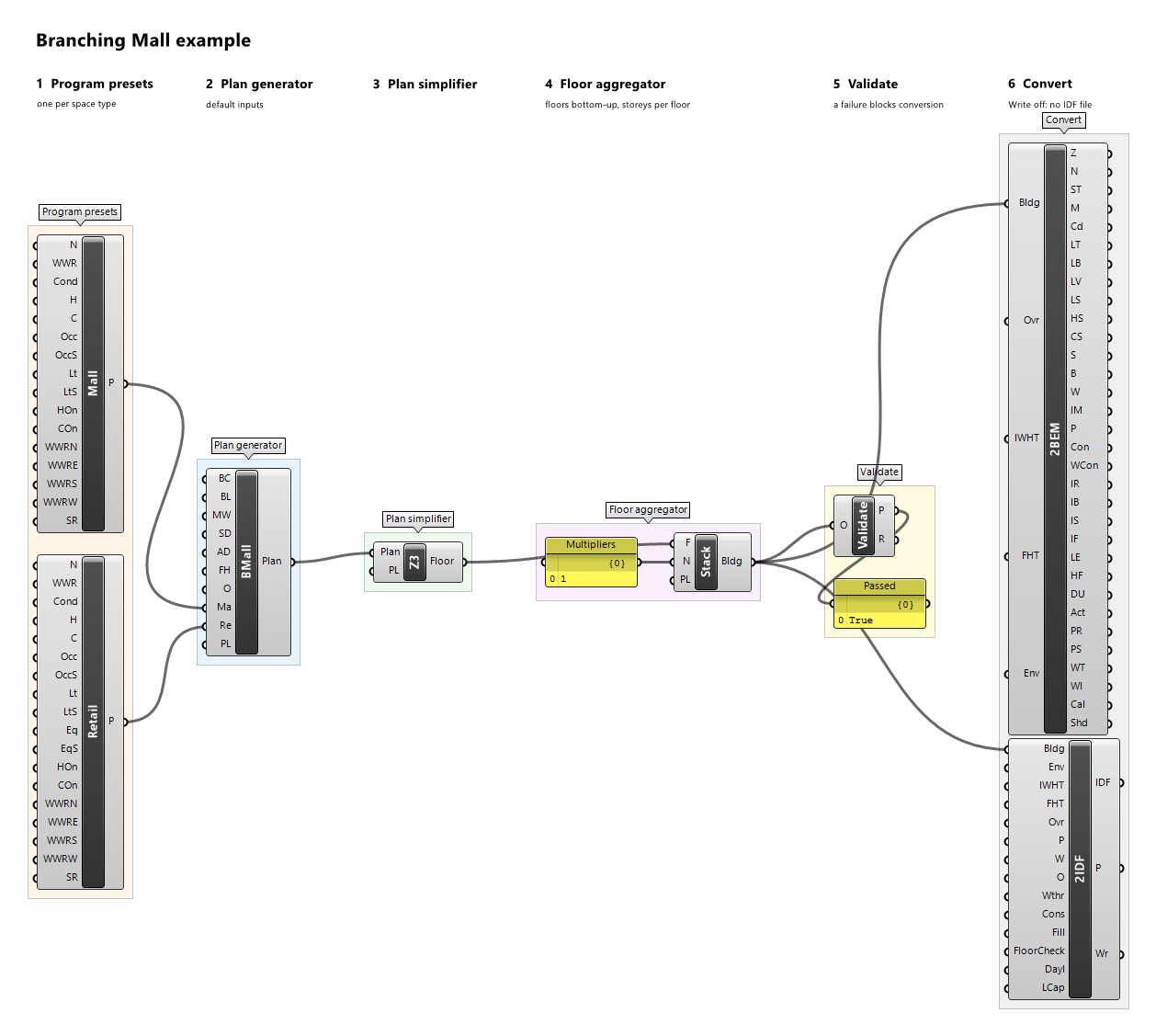
Example definitions: branching-mall.gh (canvas).
Office Preset

Component · nickname Office · GUID 4160f791-07dc-4529-9986-1c9ba7d21a98 · exposure primary
Program preset of an office work area (one zone per work-area department); space type Office. Every input defaults to the illustrative example values.
Inputs
| Name | Nickname | Type | Access | Optional | Default | Description |
|---|---|---|---|---|---|---|
| Name | N |
Text | item | no | Example Office |
Preset name; descriptive only (reports, provenance, messages), never used for matching. |
| WWR | WWR |
Number | item | no | 0.4 |
Window-to-wall ratio in [0, 1) used by the plan generator for every exterior wall. |
| Conditioned | Cond |
Boolean | item | no | True |
Whether the space is conditioned; the setpoints are ignored when it is not. A conditioned space needs Heating On or Cooling On. |
| Heating | H |
Number | item | no | 21 |
Constant heating setpoint, °C. |
| Cooling | C |
Number | item | no | 24 |
Constant cooling setpoint, °C. |
| Occupancy | Occ |
Number | item | no | 0.1 |
Occupancy design value, people/m². |
| Occupancy Schedule | OccS |
Schedule | item | yes | – | Optional fraction schedule of Occupancy; replaces the built-in schedule 'Example Office Occupancy' when connected. |
| Lighting | Lt |
Number | item | no | 10 |
Lighting design value, W/m². |
| Lighting Schedule | LtS |
Schedule | item | yes | – | Optional fraction schedule of Lighting; replaces the built-in schedule 'Example Office Lighting' when connected. |
| Equipment | Eq |
Number | item | no | 10 |
Equipment design value, W/m². |
| Equipment Schedule | EqS |
Schedule | item | yes | – | Optional fraction schedule of Equipment; replaces the built-in schedule 'Example Office Equipment' when connected. |
| Heating On | HOn |
Boolean | item | no | True |
Whether a conditioned space is heated at the Heating setpoint; when false, Heating is ignored. |
| Cooling On | COn |
Boolean | item | no | True |
Whether a conditioned space is cooled at the Cooling setpoint; when false, Cooling is ignored. |
| WWR North | WWRN |
Number | item | yes | – | Window-to-wall ratio in [0, 1) of the outdoor walls facing north, true azimuth [315°, 45°) after the plan's orientation. Unset: WWR. |
| WWR East | WWRE |
Number | item | yes | – | Window-to-wall ratio in [0, 1) of the outdoor walls facing east, true azimuth [45°, 135°) after the plan's orientation. Unset: WWR. |
| WWR South | WWRS |
Number | item | yes | – | Window-to-wall ratio in [0, 1) of the outdoor walls facing south, true azimuth [135°, 225°) after the plan's orientation. Unset: WWR. |
| WWR West | WWRW |
Number | item | yes | – | Window-to-wall ratio in [0, 1) of the outdoor walls facing west, true azimuth [225°, 315°) after the plan's orientation. Unset: WWR. |
| Skylight Ratio | SR |
Number | item | yes | 0 |
Skylight ratio in [0, 1): a zone's roof takes one skylight of this ratio × its roof area, centred in the roof's largest grid rectangle; only roofs facing outdoors, terraces included, get skylights. |
Outputs
| Name | Nickname | Type | Access | Description |
|---|---|---|---|---|
| Preset | P |
Program Preset | item | The program preset. |
Example definitions: office-plate.gh (canvas).
Operating Theatre Preset

Component · nickname OT · GUID eb55b6d5-08f1-4a5e-9598-13951c34c2a4 · exposure primary
Program preset of a bank of operating theatres; space type OperatingTheatre. Every input defaults to the illustrative example values.
Inputs
| Name | Nickname | Type | Access | Optional | Default | Description |
|---|---|---|---|---|---|---|
| Name | N |
Text | item | no | Example Operating Theatre |
Preset name; descriptive only (reports, provenance, messages), never used for matching. |
| WWR | WWR |
Number | item | no | 0 |
Window-to-wall ratio in [0, 1) used by the plan generator for every exterior wall. |
| Conditioned | Cond |
Boolean | item | no | True |
Whether the space is conditioned; the setpoints are ignored when it is not. A conditioned space needs Heating On or Cooling On. |
| Heating | H |
Number | item | no | 20 |
Constant heating setpoint, °C. |
| Cooling | C |
Number | item | no | 22 |
Constant cooling setpoint, °C. |
| Occupancy | Occ |
Number | item | no | 0.1 |
Occupancy design value, people/m². |
| Occupancy Schedule | OccS |
Schedule | item | yes | – | Optional fraction schedule of Occupancy; replaces the built-in schedule 'Example Theatre Sessions' when connected. |
| Lighting | Lt |
Number | item | no | 25 |
Lighting design value, W/m². |
| Lighting Schedule | LtS |
Schedule | item | yes | – | Optional fraction schedule of Lighting; replaces the built-in schedule 'Example Theatre Services' when connected. |
| Equipment | Eq |
Number | item | no | 30 |
Equipment design value, W/m². |
| Equipment Schedule | EqS |
Schedule | item | yes | – | Optional fraction schedule of Equipment; replaces the built-in schedule 'Example Theatre Services' when connected. |
| Ventilation | Vent |
Number | item | no | 20 |
Ventilation design value, 1/h (air changes per hour). |
| Ventilation Schedule | VentS |
Schedule | item | yes | – | Optional fraction schedule of Ventilation; replaces the built-in schedule 'Example Theatre Ventilation' when connected. |
| Heating On | HOn |
Boolean | item | no | True |
Whether a conditioned space is heated at the Heating setpoint; when false, Heating is ignored. |
| Cooling On | COn |
Boolean | item | no | True |
Whether a conditioned space is cooled at the Cooling setpoint; when false, Cooling is ignored. |
| WWR North | WWRN |
Number | item | yes | – | Window-to-wall ratio in [0, 1) of the outdoor walls facing north, true azimuth [315°, 45°) after the plan's orientation. Unset: WWR. |
| WWR East | WWRE |
Number | item | yes | – | Window-to-wall ratio in [0, 1) of the outdoor walls facing east, true azimuth [45°, 135°) after the plan's orientation. Unset: WWR. |
| WWR South | WWRS |
Number | item | yes | – | Window-to-wall ratio in [0, 1) of the outdoor walls facing south, true azimuth [135°, 225°) after the plan's orientation. Unset: WWR. |
| WWR West | WWRW |
Number | item | yes | – | Window-to-wall ratio in [0, 1) of the outdoor walls facing west, true azimuth [225°, 315°) after the plan's orientation. Unset: WWR. |
| Skylight Ratio | SR |
Number | item | yes | 0 |
Skylight ratio in [0, 1): a zone's roof takes one skylight of this ratio × its roof area, centred in the roof's largest grid rectangle; only roofs facing outdoors, terraces included, get skylights. |
Outputs
| Name | Nickname | Type | Access | Description |
|---|---|---|---|---|
| Preset | P |
Program Preset | item | The program preset. |
Example definitions: operating-suite.gh (canvas).
Retail Preset

Component · nickname Retail · GUID b760860d-05c9-4cbe-a22f-ddd2e38e4d64 · exposure primary
Program preset of the shops of one mall wing or an anchor store; space type Retail. Every input defaults to the illustrative example values.
Inputs
| Name | Nickname | Type | Access | Optional | Default | Description |
|---|---|---|---|---|---|---|
| Name | N |
Text | item | no | Example Retail |
Preset name; descriptive only (reports, provenance, messages), never used for matching. |
| WWR | WWR |
Number | item | no | 0.3 |
Window-to-wall ratio in [0, 1) used by the plan generator for every exterior wall. |
| Conditioned | Cond |
Boolean | item | no | True |
Whether the space is conditioned; the setpoints are ignored when it is not. A conditioned space needs Heating On or Cooling On. |
| Heating | H |
Number | item | no | 20 |
Constant heating setpoint, °C. |
| Cooling | C |
Number | item | no | 24 |
Constant cooling setpoint, °C. |
| Occupancy | Occ |
Number | item | no | 0.2 |
Occupancy design value, people/m². |
| Occupancy Schedule | OccS |
Schedule | item | yes | – | Optional fraction schedule of Occupancy; replaces the built-in schedule 'Example Retail Occupancy' when connected. |
| Lighting | Lt |
Number | item | no | 15 |
Lighting design value, W/m². |
| Lighting Schedule | LtS |
Schedule | item | yes | – | Optional fraction schedule of Lighting; replaces the built-in schedule 'Example Retail Lighting' when connected. |
| Equipment | Eq |
Number | item | no | 5 |
Equipment design value, W/m². |
| Equipment Schedule | EqS |
Schedule | item | yes | – | Optional fraction schedule of Equipment; replaces the built-in schedule 'Example Retail Equipment' when connected. |
| Heating On | HOn |
Boolean | item | no | True |
Whether a conditioned space is heated at the Heating setpoint; when false, Heating is ignored. |
| Cooling On | COn |
Boolean | item | no | True |
Whether a conditioned space is cooled at the Cooling setpoint; when false, Cooling is ignored. |
| WWR North | WWRN |
Number | item | yes | – | Window-to-wall ratio in [0, 1) of the outdoor walls facing north, true azimuth [315°, 45°) after the plan's orientation. Unset: WWR. |
| WWR East | WWRE |
Number | item | yes | – | Window-to-wall ratio in [0, 1) of the outdoor walls facing east, true azimuth [45°, 135°) after the plan's orientation. Unset: WWR. |
| WWR South | WWRS |
Number | item | yes | – | Window-to-wall ratio in [0, 1) of the outdoor walls facing south, true azimuth [135°, 225°) after the plan's orientation. Unset: WWR. |
| WWR West | WWRW |
Number | item | yes | – | Window-to-wall ratio in [0, 1) of the outdoor walls facing west, true azimuth [225°, 315°) after the plan's orientation. Unset: WWR. |
| Skylight Ratio | SR |
Number | item | yes | 0 |
Skylight ratio in [0, 1): a zone's roof takes one skylight of this ratio × its roof area, centred in the roof's largest grid rectangle; only roofs facing outdoors, terraces included, get skylights. |
Outputs
| Name | Nickname | Type | Access | Description |
|---|---|---|---|---|
| Preset | P |
Program Preset | item | The program preset. |
Example definitions: branching-mall.gh (canvas).
Service Preset

Component · nickname Serv · GUID 60251c8e-ad4b-4ef5-8f68-64f4c6bf6f8b · exposure primary
Program preset of service or support rooms: changing rooms, stores, toilets; space type Service. Every input defaults to the illustrative example values.
Inputs
| Name | Nickname | Type | Access | Optional | Default | Description |
|---|---|---|---|---|---|---|
| Name | N |
Text | item | no | Example Service |
Preset name; descriptive only (reports, provenance, messages), never used for matching. |
| WWR | WWR |
Number | item | no | 0.1 |
Window-to-wall ratio in [0, 1) used by the plan generator for every exterior wall. |
| Conditioned | Cond |
Boolean | item | no | True |
Whether the space is conditioned; the setpoints are ignored when it is not. A conditioned space needs Heating On or Cooling On. |
| Heating | H |
Number | item | no | 18 |
Constant heating setpoint, °C. |
| Cooling | C |
Number | item | no | 26 |
Constant cooling setpoint, °C. |
| Lighting | Lt |
Number | item | no | 6 |
Lighting design value, W/m². |
| Lighting Schedule | LtS |
Schedule | item | yes | – | Optional fraction schedule of Lighting; replaces the built-in schedule 'Example Community Hours' when connected. |
| Heating On | HOn |
Boolean | item | no | True |
Whether a conditioned space is heated at the Heating setpoint; when false, Heating is ignored. |
| Cooling On | COn |
Boolean | item | no | True |
Whether a conditioned space is cooled at the Cooling setpoint; when false, Cooling is ignored. |
| WWR North | WWRN |
Number | item | yes | – | Window-to-wall ratio in [0, 1) of the outdoor walls facing north, true azimuth [315°, 45°) after the plan's orientation. Unset: WWR. |
| WWR East | WWRE |
Number | item | yes | – | Window-to-wall ratio in [0, 1) of the outdoor walls facing east, true azimuth [45°, 135°) after the plan's orientation. Unset: WWR. |
| WWR South | WWRS |
Number | item | yes | – | Window-to-wall ratio in [0, 1) of the outdoor walls facing south, true azimuth [135°, 225°) after the plan's orientation. Unset: WWR. |
| WWR West | WWRW |
Number | item | yes | – | Window-to-wall ratio in [0, 1) of the outdoor walls facing west, true azimuth [225°, 315°) after the plan's orientation. Unset: WWR. |
| Skylight Ratio | SR |
Number | item | yes | 0 |
Skylight ratio in [0, 1): a zone's roof takes one skylight of this ratio × its roof area, centred in the roof's largest grid rectangle; only roofs facing outdoors, terraces included, get skylights. |
Outputs
| Name | Nickname | Type | Access | Description |
|---|---|---|---|---|
| Preset | P |
Program Preset | item | The program preset. |
Example definitions: foyer-halls.gh (canvas).
Stair Preset

Component · nickname Stair · GUID 717ccc25-1097-4b66-addc-d2fcdd4e385a · exposure primary
Program preset of a stair. Every input defaults to the illustrative example values.
Inputs
| Name | Nickname | Type | Access | Optional | Default | Description |
|---|---|---|---|---|---|---|
| Name | N |
Text | item | no | Example Stair |
Preset name; descriptive only (reports, provenance, messages), never used for matching. |
| WWR | WWR |
Number | item | no | 0.1 |
Window-to-wall ratio in [0, 1) used by the plan generator for every exterior wall. |
| Conditioned | Cond |
Boolean | item | no | False |
Whether the space is conditioned; the setpoints are ignored when it is not. A conditioned space needs Heating On or Cooling On. |
| Heating | H |
Number | item | no | 21 |
Constant heating setpoint, °C. |
| Cooling | C |
Number | item | no | 24 |
Constant cooling setpoint, °C. |
| Lighting | Lt |
Number | item | no | 3 |
Lighting design value, W/m². |
| Lighting Schedule | LtS |
Schedule | item | yes | – | Optional fraction schedule of Lighting; replaces the built-in schedule 'Example Always On' when connected. |
| Heating On | HOn |
Boolean | item | no | True |
Whether a conditioned space is heated at the Heating setpoint; when false, Heating is ignored. |
| Cooling On | COn |
Boolean | item | no | True |
Whether a conditioned space is cooled at the Cooling setpoint; when false, Cooling is ignored. |
| WWR North | WWRN |
Number | item | yes | – | Window-to-wall ratio in [0, 1) of the outdoor walls facing north, true azimuth [315°, 45°) after the plan's orientation. Unset: WWR. |
| WWR East | WWRE |
Number | item | yes | – | Window-to-wall ratio in [0, 1) of the outdoor walls facing east, true azimuth [45°, 135°) after the plan's orientation. Unset: WWR. |
| WWR South | WWRS |
Number | item | yes | – | Window-to-wall ratio in [0, 1) of the outdoor walls facing south, true azimuth [135°, 225°) after the plan's orientation. Unset: WWR. |
| WWR West | WWRW |
Number | item | yes | – | Window-to-wall ratio in [0, 1) of the outdoor walls facing west, true azimuth [225°, 315°) after the plan's orientation. Unset: WWR. |
| Skylight Ratio | SR |
Number | item | yes | 0 |
Skylight ratio in [0, 1): a zone's roof takes one skylight of this ratio × its roof area, centred in the roof's largest grid rectangle; only roofs facing outdoors, terraces included, get skylights. |
Outputs
| Name | Nickname | Type | Access | Description |
|---|---|---|---|---|
| Preset | P |
Program Preset | item | The program preset. |
Example definitions: court-cluster.gh (canvas), enclosed-court.gh (canvas), end-to-end.gh (canvas), gallery-bar.gh (canvas), linear-plan.gh (canvas), open-court.gh (canvas), point-plate.gh (canvas), radial-lobes.gh (canvas), stair-bay-bar.gh (canvas), stair-pair.gh (canvas), stepped-band.gh (canvas), winged-band.gh (canvas).
DOE Full-Service Restaurant Programs

Component · nickname DoeFSRP · GUID 0efa0bdc-0cfb-4dbb-b735-7a9453fec942 · exposure secondary
The program presets of DOE Full-Service Restaurant. One preset per program key of the generator, named by its key: the loads and setpoints of the illustrative example preset of the key's space type, the window-to-wall ratio per orientation and the skylight ratio the DOE reference building has for that key's zones (0 where the key has no wall of an orientation or no roof). A key whose every zone the generator draws differently from the source (a gap, such as a zone taller than its storey drawn to the storey height) keeps the source's own ratios, so its window area differs from the source's by what the gap changes. A key whose space type has no example preset takes the example Service preset as an any-program preset, named '<key> (Example Service)', which the plan records in its provenance. Wire Program Map into the generator's Program Map; to change a preset, wire Keys and the edited Presets into DOE Program Map. Get from Atlas at the bottom of the component takes every key's program from a family of the atlas site (https://energy-atlas.github.io/archetype-atlas/) in place of the illustrative presets, using the network only when clicked: the program of the key's space type in the prototype's folder, filled by default, with the DOE reference building's window ratios kept and the skylights of the family's source geometry in the Climate Zone, stored in the definition, so the solve reads no file or network. A key the family has no program for is refused by name: the map is not output and Presets has that position empty.
Inputs
| Name | Nickname | Type | Access | Optional | Default | Description |
|---|---|---|---|---|---|---|
| Climate Zone | CZ |
Text | item | yes | – | Used with an atlas map only (Get from Atlas): the model's ASHRAE climate zone, such as 5B, for the programs' values that differ by climate. Unset: their general values, with a warning when a program has values by climate; Convert2IDF refuses such a program until a zone is given. |
| Year | Y |
Integer | item | no | 2007 |
Used with an atlas map only: the calendar year the programs' schedules are expanded on, a non-leap year. The default 2007 starts on a Monday, as BEMGen's own presets assume. |
| Holidays | Hol |
Text | list | yes | – | Used with an atlas map only: holidays of that year as MM-DD text, such as 07-04. Unset: no holidays. |
| Context | Ctx |
Text | list | yes | – | Used with an atlas map only: the construction context as key=value items, such as foundation=slab, for loads a program applies only with that context. Unset: none. |
Outputs
| Name | Nickname | Type | Access | Description |
|---|---|---|---|---|
| Program Map | Map |
Program Map | item | The program map, one preset per program key; wire it into the DOE generator's Program Map. Not output for an atlas map with a key without a program. |
| Keys | K |
Text | list | The program keys of the generator (standards space types), in ordinal order: the keys of the map, and DOE Program Map's Keys. |
| Presets | P |
Program Preset | list | The preset of each key, in the order of Keys; edit one and rebuild the map with DOE Program Map. With an atlas map, a key without a program has its position empty. |
| JSON | J |
Text | list | With an atlas map: each key's program JSON text, in the order of Keys (empty for a key without a program), for Program JSON or Schedule Draw. Without one: nothing. |
| Left Out | LO |
Text | tree | With an atlas map: what each key's program does not hold, as Program JSON's Left Out lists it, one branch per key in the order of Keys (empty for a key without a program). Without one: nothing. |
DOE Hospital Programs

Component · nickname DoeHospP · GUID 8d1911ba-c454-4c22-a36f-139bfb46a1e5 · exposure secondary
The program presets of DOE Hospital. One preset per program key of the generator, named by its key: the loads and setpoints of the illustrative example preset of the key's space type, the window-to-wall ratio per orientation and the skylight ratio the DOE reference building has for that key's zones (0 where the key has no wall of an orientation or no roof). A key whose every zone the generator draws differently from the source (a gap, such as a zone taller than its storey drawn to the storey height) keeps the source's own ratios, so its window area differs from the source's by what the gap changes. A key whose space type has no example preset takes the example Service preset as an any-program preset, named '<key> (Example Service)', which the plan records in its provenance. Wire Program Map into the generator's Program Map; to change a preset, wire Keys and the edited Presets into DOE Program Map. Get from Atlas at the bottom of the component takes every key's program from a family of the atlas site (https://energy-atlas.github.io/archetype-atlas/) in place of the illustrative presets, using the network only when clicked: the program of the key's space type in the prototype's folder, filled by default, with the DOE reference building's window ratios kept and the skylights of the family's source geometry in the Climate Zone, stored in the definition, so the solve reads no file or network. A key the family has no program for is refused by name: the map is not output and Presets has that position empty.
Inputs
| Name | Nickname | Type | Access | Optional | Default | Description |
|---|---|---|---|---|---|---|
| Climate Zone | CZ |
Text | item | yes | – | Used with an atlas map only (Get from Atlas): the model's ASHRAE climate zone, such as 5B, for the programs' values that differ by climate. Unset: their general values, with a warning when a program has values by climate; Convert2IDF refuses such a program until a zone is given. |
| Year | Y |
Integer | item | no | 2007 |
Used with an atlas map only: the calendar year the programs' schedules are expanded on, a non-leap year. The default 2007 starts on a Monday, as BEMGen's own presets assume. |
| Holidays | Hol |
Text | list | yes | – | Used with an atlas map only: holidays of that year as MM-DD text, such as 07-04. Unset: no holidays. |
| Context | Ctx |
Text | list | yes | – | Used with an atlas map only: the construction context as key=value items, such as foundation=slab, for loads a program applies only with that context. Unset: none. |
Outputs
| Name | Nickname | Type | Access | Description |
|---|---|---|---|---|
| Program Map | Map |
Program Map | item | The program map, one preset per program key; wire it into the DOE generator's Program Map. Not output for an atlas map with a key without a program. |
| Keys | K |
Text | list | The program keys of the generator (standards space types), in ordinal order: the keys of the map, and DOE Program Map's Keys. |
| Presets | P |
Program Preset | list | The preset of each key, in the order of Keys; edit one and rebuild the map with DOE Program Map. With an atlas map, a key without a program has its position empty. |
| JSON | J |
Text | list | With an atlas map: each key's program JSON text, in the order of Keys (empty for a key without a program), for Program JSON or Schedule Draw. Without one: nothing. |
| Left Out | LO |
Text | tree | With an atlas map: what each key's program does not hold, as Program JSON's Left Out lists it, one branch per key in the order of Keys (empty for a key without a program). Without one: nothing. |
DOE Large Hotel Programs

Component · nickname DoeLHtlP · GUID 68514a63-fb87-479a-99da-31daaa34f3c8 · exposure secondary
The program presets of DOE Large Hotel. One preset per program key of the generator, named by its key: the loads and setpoints of the illustrative example preset of the key's space type, the window-to-wall ratio per orientation and the skylight ratio the DOE reference building has for that key's zones (0 where the key has no wall of an orientation or no roof). A key whose every zone the generator draws differently from the source (a gap, such as a zone taller than its storey drawn to the storey height) keeps the source's own ratios, so its window area differs from the source's by what the gap changes. A key whose space type has no example preset takes the example Service preset as an any-program preset, named '<key> (Example Service)', which the plan records in its provenance. Wire Program Map into the generator's Program Map; to change a preset, wire Keys and the edited Presets into DOE Program Map. Get from Atlas at the bottom of the component takes every key's program from a family of the atlas site (https://energy-atlas.github.io/archetype-atlas/) in place of the illustrative presets, using the network only when clicked: the program of the key's space type in the prototype's folder, filled by default, with the DOE reference building's window ratios kept and the skylights of the family's source geometry in the Climate Zone, stored in the definition, so the solve reads no file or network. A key the family has no program for is refused by name: the map is not output and Presets has that position empty.
Inputs
| Name | Nickname | Type | Access | Optional | Default | Description |
|---|---|---|---|---|---|---|
| Climate Zone | CZ |
Text | item | yes | – | Used with an atlas map only (Get from Atlas): the model's ASHRAE climate zone, such as 5B, for the programs' values that differ by climate. Unset: their general values, with a warning when a program has values by climate; Convert2IDF refuses such a program until a zone is given. |
| Year | Y |
Integer | item | no | 2007 |
Used with an atlas map only: the calendar year the programs' schedules are expanded on, a non-leap year. The default 2007 starts on a Monday, as BEMGen's own presets assume. |
| Holidays | Hol |
Text | list | yes | – | Used with an atlas map only: holidays of that year as MM-DD text, such as 07-04. Unset: no holidays. |
| Context | Ctx |
Text | list | yes | – | Used with an atlas map only: the construction context as key=value items, such as foundation=slab, for loads a program applies only with that context. Unset: none. |
Outputs
| Name | Nickname | Type | Access | Description |
|---|---|---|---|---|
| Program Map | Map |
Program Map | item | The program map, one preset per program key; wire it into the DOE generator's Program Map. Not output for an atlas map with a key without a program. |
| Keys | K |
Text | list | The program keys of the generator (standards space types), in ordinal order: the keys of the map, and DOE Program Map's Keys. |
| Presets | P |
Program Preset | list | The preset of each key, in the order of Keys; edit one and rebuild the map with DOE Program Map. With an atlas map, a key without a program has its position empty. |
| JSON | J |
Text | list | With an atlas map: each key's program JSON text, in the order of Keys (empty for a key without a program), for Program JSON or Schedule Draw. Without one: nothing. |
| Left Out | LO |
Text | tree | With an atlas map: what each key's program does not hold, as Program JSON's Left Out lists it, one branch per key in the order of Keys (empty for a key without a program). Without one: nothing. |
DOE Large Office Programs

Component · nickname DoeLOffP · GUID 5c1b1c67-a1c3-48e2-a8f9-3a235949b7d3 · exposure secondary
The program presets of DOE Large Office. One preset per program key of the generator, named by its key: the loads and setpoints of the illustrative example preset of the key's space type, the window-to-wall ratio per orientation and the skylight ratio the DOE reference building has for that key's zones (0 where the key has no wall of an orientation or no roof). A key whose every zone the generator draws differently from the source (a gap, such as a zone taller than its storey drawn to the storey height) keeps the source's own ratios, so its window area differs from the source's by what the gap changes. A key whose space type has no example preset takes the example Service preset as an any-program preset, named '<key> (Example Service)', which the plan records in its provenance. Wire Program Map into the generator's Program Map; to change a preset, wire Keys and the edited Presets into DOE Program Map. Get from Atlas at the bottom of the component takes every key's program from a family of the atlas site (https://energy-atlas.github.io/archetype-atlas/) in place of the illustrative presets, using the network only when clicked: the program of the key's space type in the prototype's folder, filled by default, with the DOE reference building's window ratios kept and the skylights of the family's source geometry in the Climate Zone, stored in the definition, so the solve reads no file or network. A key the family has no program for is refused by name: the map is not output and Presets has that position empty.
Inputs
| Name | Nickname | Type | Access | Optional | Default | Description |
|---|---|---|---|---|---|---|
| Climate Zone | CZ |
Text | item | yes | – | Used with an atlas map only (Get from Atlas): the model's ASHRAE climate zone, such as 5B, for the programs' values that differ by climate. Unset: their general values, with a warning when a program has values by climate; Convert2IDF refuses such a program until a zone is given. |
| Year | Y |
Integer | item | no | 2007 |
Used with an atlas map only: the calendar year the programs' schedules are expanded on, a non-leap year. The default 2007 starts on a Monday, as BEMGen's own presets assume. |
| Holidays | Hol |
Text | list | yes | – | Used with an atlas map only: holidays of that year as MM-DD text, such as 07-04. Unset: no holidays. |
| Context | Ctx |
Text | list | yes | – | Used with an atlas map only: the construction context as key=value items, such as foundation=slab, for loads a program applies only with that context. Unset: none. |
Outputs
| Name | Nickname | Type | Access | Description |
|---|---|---|---|---|
| Program Map | Map |
Program Map | item | The program map, one preset per program key; wire it into the DOE generator's Program Map. Not output for an atlas map with a key without a program. |
| Keys | K |
Text | list | The program keys of the generator (standards space types), in ordinal order: the keys of the map, and DOE Program Map's Keys. |
| Presets | P |
Program Preset | list | The preset of each key, in the order of Keys; edit one and rebuild the map with DOE Program Map. With an atlas map, a key without a program has its position empty. |
| JSON | J |
Text | list | With an atlas map: each key's program JSON text, in the order of Keys (empty for a key without a program), for Program JSON or Schedule Draw. Without one: nothing. |
| Left Out | LO |
Text | tree | With an atlas map: what each key's program does not hold, as Program JSON's Left Out lists it, one branch per key in the order of Keys (empty for a key without a program). Without one: nothing. |
DOE Medium Office Programs

Component · nickname DoeMOffP · GUID 37d576b9-c1eb-496a-8fda-5f80ffb9dd41 · exposure secondary
The program presets of DOE Medium Office. One preset per program key of the generator, named by its key: the loads and setpoints of the illustrative example preset of the key's space type, the window-to-wall ratio per orientation and the skylight ratio the DOE reference building has for that key's zones (0 where the key has no wall of an orientation or no roof). A key whose every zone the generator draws differently from the source (a gap, such as a zone taller than its storey drawn to the storey height) keeps the source's own ratios, so its window area differs from the source's by what the gap changes. A key whose space type has no example preset takes the example Service preset as an any-program preset, named '<key> (Example Service)', which the plan records in its provenance. Wire Program Map into the generator's Program Map; to change a preset, wire Keys and the edited Presets into DOE Program Map. Get from Atlas at the bottom of the component takes every key's program from a family of the atlas site (https://energy-atlas.github.io/archetype-atlas/) in place of the illustrative presets, using the network only when clicked: the program of the key's space type in the prototype's folder, filled by default, with the DOE reference building's window ratios kept and the skylights of the family's source geometry in the Climate Zone, stored in the definition, so the solve reads no file or network. A key the family has no program for is refused by name: the map is not output and Presets has that position empty.
Inputs
| Name | Nickname | Type | Access | Optional | Default | Description |
|---|---|---|---|---|---|---|
| Climate Zone | CZ |
Text | item | yes | – | Used with an atlas map only (Get from Atlas): the model's ASHRAE climate zone, such as 5B, for the programs' values that differ by climate. Unset: their general values, with a warning when a program has values by climate; Convert2IDF refuses such a program until a zone is given. |
| Year | Y |
Integer | item | no | 2007 |
Used with an atlas map only: the calendar year the programs' schedules are expanded on, a non-leap year. The default 2007 starts on a Monday, as BEMGen's own presets assume. |
| Holidays | Hol |
Text | list | yes | – | Used with an atlas map only: holidays of that year as MM-DD text, such as 07-04. Unset: no holidays. |
| Context | Ctx |
Text | list | yes | – | Used with an atlas map only: the construction context as key=value items, such as foundation=slab, for loads a program applies only with that context. Unset: none. |
Outputs
| Name | Nickname | Type | Access | Description |
|---|---|---|---|---|
| Program Map | Map |
Program Map | item | The program map, one preset per program key; wire it into the DOE generator's Program Map. Not output for an atlas map with a key without a program. |
| Keys | K |
Text | list | The program keys of the generator (standards space types), in ordinal order: the keys of the map, and DOE Program Map's Keys. |
| Presets | P |
Program Preset | list | The preset of each key, in the order of Keys; edit one and rebuild the map with DOE Program Map. With an atlas map, a key without a program has its position empty. |
| JSON | J |
Text | list | With an atlas map: each key's program JSON text, in the order of Keys (empty for a key without a program), for Program JSON or Schedule Draw. Without one: nothing. |
| Left Out | LO |
Text | tree | With an atlas map: what each key's program does not hold, as Program JSON's Left Out lists it, one branch per key in the order of Keys (empty for a key without a program). Without one: nothing. |
Example definitions: doe-atlas-map.gh (canvas).
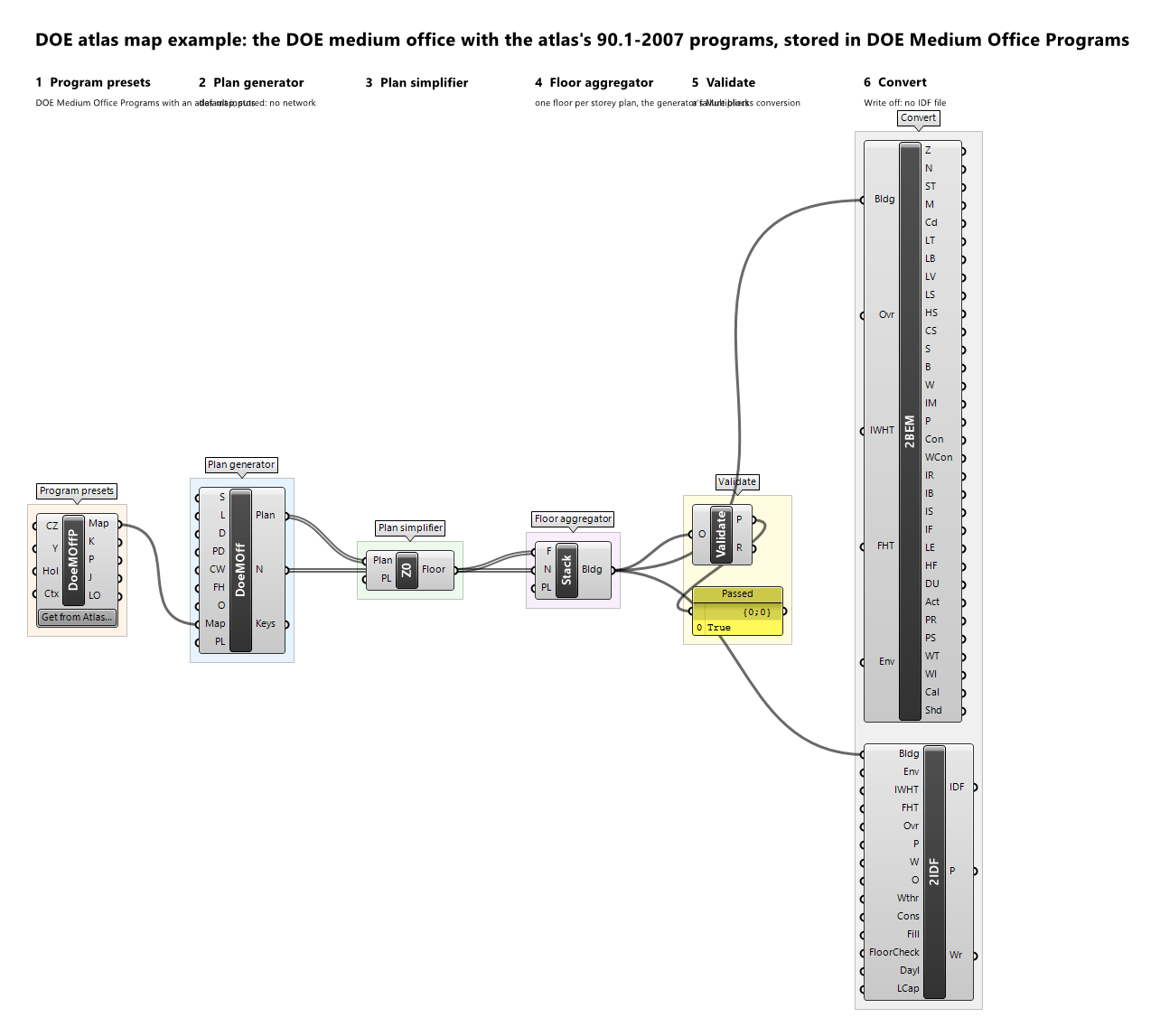
DOE Outpatient Programs

Component · nickname DoeOutPP · GUID 97748b7e-1c74-4c39-8baa-0245333d1480 · exposure secondary
The program presets of DOE Outpatient. One preset per program key of the generator, named by its key: the loads and setpoints of the illustrative example preset of the key's space type, the window-to-wall ratio per orientation and the skylight ratio the DOE reference building has for that key's zones (0 where the key has no wall of an orientation or no roof). A key whose every zone the generator draws differently from the source (a gap, such as a zone taller than its storey drawn to the storey height) keeps the source's own ratios, so its window area differs from the source's by what the gap changes. A key whose space type has no example preset takes the example Service preset as an any-program preset, named '<key> (Example Service)', which the plan records in its provenance. Wire Program Map into the generator's Program Map; to change a preset, wire Keys and the edited Presets into DOE Program Map. Get from Atlas at the bottom of the component takes every key's program from a family of the atlas site (https://energy-atlas.github.io/archetype-atlas/) in place of the illustrative presets, using the network only when clicked: the program of the key's space type in the prototype's folder, filled by default, with the DOE reference building's window ratios kept and the skylights of the family's source geometry in the Climate Zone, stored in the definition, so the solve reads no file or network. A key the family has no program for is refused by name: the map is not output and Presets has that position empty.
Inputs
| Name | Nickname | Type | Access | Optional | Default | Description |
|---|---|---|---|---|---|---|
| Climate Zone | CZ |
Text | item | yes | – | Used with an atlas map only (Get from Atlas): the model's ASHRAE climate zone, such as 5B, for the programs' values that differ by climate. Unset: their general values, with a warning when a program has values by climate; Convert2IDF refuses such a program until a zone is given. |
| Year | Y |
Integer | item | no | 2007 |
Used with an atlas map only: the calendar year the programs' schedules are expanded on, a non-leap year. The default 2007 starts on a Monday, as BEMGen's own presets assume. |
| Holidays | Hol |
Text | list | yes | – | Used with an atlas map only: holidays of that year as MM-DD text, such as 07-04. Unset: no holidays. |
| Context | Ctx |
Text | list | yes | – | Used with an atlas map only: the construction context as key=value items, such as foundation=slab, for loads a program applies only with that context. Unset: none. |
Outputs
| Name | Nickname | Type | Access | Description |
|---|---|---|---|---|
| Program Map | Map |
Program Map | item | The program map, one preset per program key; wire it into the DOE generator's Program Map. Not output for an atlas map with a key without a program. |
| Keys | K |
Text | list | The program keys of the generator (standards space types), in ordinal order: the keys of the map, and DOE Program Map's Keys. |
| Presets | P |
Program Preset | list | The preset of each key, in the order of Keys; edit one and rebuild the map with DOE Program Map. With an atlas map, a key without a program has its position empty. |
| JSON | J |
Text | list | With an atlas map: each key's program JSON text, in the order of Keys (empty for a key without a program), for Program JSON or Schedule Draw. Without one: nothing. |
| Left Out | LO |
Text | tree | With an atlas map: what each key's program does not hold, as Program JSON's Left Out lists it, one branch per key in the order of Keys (empty for a key without a program). Without one: nothing. |
DOE Primary School Programs

Component · nickname DoePSchP · GUID 5f8262ad-b46c-466f-abcb-d3493099c93a · exposure secondary
The program presets of DOE Primary School. One preset per program key of the generator, named by its key: the loads and setpoints of the illustrative example preset of the key's space type, the window-to-wall ratio per orientation and the skylight ratio the DOE reference building has for that key's zones (0 where the key has no wall of an orientation or no roof). A key whose every zone the generator draws differently from the source (a gap, such as a zone taller than its storey drawn to the storey height) keeps the source's own ratios, so its window area differs from the source's by what the gap changes. A key whose space type has no example preset takes the example Service preset as an any-program preset, named '<key> (Example Service)', which the plan records in its provenance. Wire Program Map into the generator's Program Map; to change a preset, wire Keys and the edited Presets into DOE Program Map. Get from Atlas at the bottom of the component takes every key's program from a family of the atlas site (https://energy-atlas.github.io/archetype-atlas/) in place of the illustrative presets, using the network only when clicked: the program of the key's space type in the prototype's folder, filled by default, with the DOE reference building's window ratios kept and the skylights of the family's source geometry in the Climate Zone, stored in the definition, so the solve reads no file or network. A key the family has no program for is refused by name: the map is not output and Presets has that position empty.
Inputs
| Name | Nickname | Type | Access | Optional | Default | Description |
|---|---|---|---|---|---|---|
| Climate Zone | CZ |
Text | item | yes | – | Used with an atlas map only (Get from Atlas): the model's ASHRAE climate zone, such as 5B, for the programs' values that differ by climate. Unset: their general values, with a warning when a program has values by climate; Convert2IDF refuses such a program until a zone is given. |
| Year | Y |
Integer | item | no | 2007 |
Used with an atlas map only: the calendar year the programs' schedules are expanded on, a non-leap year. The default 2007 starts on a Monday, as BEMGen's own presets assume. |
| Holidays | Hol |
Text | list | yes | – | Used with an atlas map only: holidays of that year as MM-DD text, such as 07-04. Unset: no holidays. |
| Context | Ctx |
Text | list | yes | – | Used with an atlas map only: the construction context as key=value items, such as foundation=slab, for loads a program applies only with that context. Unset: none. |
Outputs
| Name | Nickname | Type | Access | Description |
|---|---|---|---|---|
| Program Map | Map |
Program Map | item | The program map, one preset per program key; wire it into the DOE generator's Program Map. Not output for an atlas map with a key without a program. |
| Keys | K |
Text | list | The program keys of the generator (standards space types), in ordinal order: the keys of the map, and DOE Program Map's Keys. |
| Presets | P |
Program Preset | list | The preset of each key, in the order of Keys; edit one and rebuild the map with DOE Program Map. With an atlas map, a key without a program has its position empty. |
| JSON | J |
Text | list | With an atlas map: each key's program JSON text, in the order of Keys (empty for a key without a program), for Program JSON or Schedule Draw. Without one: nothing. |
| Left Out | LO |
Text | tree | With an atlas map: what each key's program does not hold, as Program JSON's Left Out lists it, one branch per key in the order of Keys (empty for a key without a program). Without one: nothing. |
DOE Quick-Service Restaurant Programs

Component · nickname DoeQSRP · GUID 93d7a80c-5cca-4e59-9a0f-0246caf79f9f · exposure secondary
The program presets of DOE Quick-Service Restaurant. One preset per program key of the generator, named by its key: the loads and setpoints of the illustrative example preset of the key's space type, the window-to-wall ratio per orientation and the skylight ratio the DOE reference building has for that key's zones (0 where the key has no wall of an orientation or no roof). A key whose every zone the generator draws differently from the source (a gap, such as a zone taller than its storey drawn to the storey height) keeps the source's own ratios, so its window area differs from the source's by what the gap changes. A key whose space type has no example preset takes the example Service preset as an any-program preset, named '<key> (Example Service)', which the plan records in its provenance. Wire Program Map into the generator's Program Map; to change a preset, wire Keys and the edited Presets into DOE Program Map. Get from Atlas at the bottom of the component takes every key's program from a family of the atlas site (https://energy-atlas.github.io/archetype-atlas/) in place of the illustrative presets, using the network only when clicked: the program of the key's space type in the prototype's folder, filled by default, with the DOE reference building's window ratios kept and the skylights of the family's source geometry in the Climate Zone, stored in the definition, so the solve reads no file or network. A key the family has no program for is refused by name: the map is not output and Presets has that position empty.
Inputs
| Name | Nickname | Type | Access | Optional | Default | Description |
|---|---|---|---|---|---|---|
| Climate Zone | CZ |
Text | item | yes | – | Used with an atlas map only (Get from Atlas): the model's ASHRAE climate zone, such as 5B, for the programs' values that differ by climate. Unset: their general values, with a warning when a program has values by climate; Convert2IDF refuses such a program until a zone is given. |
| Year | Y |
Integer | item | no | 2007 |
Used with an atlas map only: the calendar year the programs' schedules are expanded on, a non-leap year. The default 2007 starts on a Monday, as BEMGen's own presets assume. |
| Holidays | Hol |
Text | list | yes | – | Used with an atlas map only: holidays of that year as MM-DD text, such as 07-04. Unset: no holidays. |
| Context | Ctx |
Text | list | yes | – | Used with an atlas map only: the construction context as key=value items, such as foundation=slab, for loads a program applies only with that context. Unset: none. |
Outputs
| Name | Nickname | Type | Access | Description |
|---|---|---|---|---|
| Program Map | Map |
Program Map | item | The program map, one preset per program key; wire it into the DOE generator's Program Map. Not output for an atlas map with a key without a program. |
| Keys | K |
Text | list | The program keys of the generator (standards space types), in ordinal order: the keys of the map, and DOE Program Map's Keys. |
| Presets | P |
Program Preset | list | The preset of each key, in the order of Keys; edit one and rebuild the map with DOE Program Map. With an atlas map, a key without a program has its position empty. |
| JSON | J |
Text | list | With an atlas map: each key's program JSON text, in the order of Keys (empty for a key without a program), for Program JSON or Schedule Draw. Without one: nothing. |
| Left Out | LO |
Text | tree | With an atlas map: what each key's program does not hold, as Program JSON's Left Out lists it, one branch per key in the order of Keys (empty for a key without a program). Without one: nothing. |
DOE Secondary School Programs

Component · nickname DoeSSchP · GUID cdacf7bc-11c9-4d8a-8213-ac9b6edceb0d · exposure secondary
The program presets of DOE Secondary School. One preset per program key of the generator, named by its key: the loads and setpoints of the illustrative example preset of the key's space type, the window-to-wall ratio per orientation and the skylight ratio the DOE reference building has for that key's zones (0 where the key has no wall of an orientation or no roof). A key whose every zone the generator draws differently from the source (a gap, such as a zone taller than its storey drawn to the storey height) keeps the source's own ratios, so its window area differs from the source's by what the gap changes. A key whose space type has no example preset takes the example Service preset as an any-program preset, named '<key> (Example Service)', which the plan records in its provenance. Wire Program Map into the generator's Program Map; to change a preset, wire Keys and the edited Presets into DOE Program Map. Get from Atlas at the bottom of the component takes every key's program from a family of the atlas site (https://energy-atlas.github.io/archetype-atlas/) in place of the illustrative presets, using the network only when clicked: the program of the key's space type in the prototype's folder, filled by default, with the DOE reference building's window ratios kept and the skylights of the family's source geometry in the Climate Zone, stored in the definition, so the solve reads no file or network. A key the family has no program for is refused by name: the map is not output and Presets has that position empty.
Inputs
| Name | Nickname | Type | Access | Optional | Default | Description |
|---|---|---|---|---|---|---|
| Climate Zone | CZ |
Text | item | yes | – | Used with an atlas map only (Get from Atlas): the model's ASHRAE climate zone, such as 5B, for the programs' values that differ by climate. Unset: their general values, with a warning when a program has values by climate; Convert2IDF refuses such a program until a zone is given. |
| Year | Y |
Integer | item | no | 2007 |
Used with an atlas map only: the calendar year the programs' schedules are expanded on, a non-leap year. The default 2007 starts on a Monday, as BEMGen's own presets assume. |
| Holidays | Hol |
Text | list | yes | – | Used with an atlas map only: holidays of that year as MM-DD text, such as 07-04. Unset: no holidays. |
| Context | Ctx |
Text | list | yes | – | Used with an atlas map only: the construction context as key=value items, such as foundation=slab, for loads a program applies only with that context. Unset: none. |
Outputs
| Name | Nickname | Type | Access | Description |
|---|---|---|---|---|
| Program Map | Map |
Program Map | item | The program map, one preset per program key; wire it into the DOE generator's Program Map. Not output for an atlas map with a key without a program. |
| Keys | K |
Text | list | The program keys of the generator (standards space types), in ordinal order: the keys of the map, and DOE Program Map's Keys. |
| Presets | P |
Program Preset | list | The preset of each key, in the order of Keys; edit one and rebuild the map with DOE Program Map. With an atlas map, a key without a program has its position empty. |
| JSON | J |
Text | list | With an atlas map: each key's program JSON text, in the order of Keys (empty for a key without a program), for Program JSON or Schedule Draw. Without one: nothing. |
| Left Out | LO |
Text | tree | With an atlas map: what each key's program does not hold, as Program JSON's Left Out lists it, one branch per key in the order of Keys (empty for a key without a program). Without one: nothing. |
DOE Small Hotel Programs

Component · nickname DoeSHotP · GUID 6606b09c-74fd-4f5e-8419-29bdd3ff484e · exposure secondary
The program presets of DOE Small Hotel. One preset per program key of the generator, named by its key: the loads and setpoints of the illustrative example preset of the key's space type, the window-to-wall ratio per orientation and the skylight ratio the DOE reference building has for that key's zones (0 where the key has no wall of an orientation or no roof). A key whose every zone the generator draws differently from the source (a gap, such as a zone taller than its storey drawn to the storey height) keeps the source's own ratios, so its window area differs from the source's by what the gap changes. A key whose space type has no example preset takes the example Service preset as an any-program preset, named '<key> (Example Service)', which the plan records in its provenance. Wire Program Map into the generator's Program Map; to change a preset, wire Keys and the edited Presets into DOE Program Map. Get from Atlas at the bottom of the component takes every key's program from a family of the atlas site (https://energy-atlas.github.io/archetype-atlas/) in place of the illustrative presets, using the network only when clicked: the program of the key's space type in the prototype's folder, filled by default, with the DOE reference building's window ratios kept and the skylights of the family's source geometry in the Climate Zone, stored in the definition, so the solve reads no file or network. A key the family has no program for is refused by name: the map is not output and Presets has that position empty.
Inputs
| Name | Nickname | Type | Access | Optional | Default | Description |
|---|---|---|---|---|---|---|
| Climate Zone | CZ |
Text | item | yes | – | Used with an atlas map only (Get from Atlas): the model's ASHRAE climate zone, such as 5B, for the programs' values that differ by climate. Unset: their general values, with a warning when a program has values by climate; Convert2IDF refuses such a program until a zone is given. |
| Year | Y |
Integer | item | no | 2007 |
Used with an atlas map only: the calendar year the programs' schedules are expanded on, a non-leap year. The default 2007 starts on a Monday, as BEMGen's own presets assume. |
| Holidays | Hol |
Text | list | yes | – | Used with an atlas map only: holidays of that year as MM-DD text, such as 07-04. Unset: no holidays. |
| Context | Ctx |
Text | list | yes | – | Used with an atlas map only: the construction context as key=value items, such as foundation=slab, for loads a program applies only with that context. Unset: none. |
Outputs
| Name | Nickname | Type | Access | Description |
|---|---|---|---|---|
| Program Map | Map |
Program Map | item | The program map, one preset per program key; wire it into the DOE generator's Program Map. Not output for an atlas map with a key without a program. |
| Keys | K |
Text | list | The program keys of the generator (standards space types), in ordinal order: the keys of the map, and DOE Program Map's Keys. |
| Presets | P |
Program Preset | list | The preset of each key, in the order of Keys; edit one and rebuild the map with DOE Program Map. With an atlas map, a key without a program has its position empty. |
| JSON | J |
Text | list | With an atlas map: each key's program JSON text, in the order of Keys (empty for a key without a program), for Program JSON or Schedule Draw. Without one: nothing. |
| Left Out | LO |
Text | tree | With an atlas map: what each key's program does not hold, as Program JSON's Left Out lists it, one branch per key in the order of Keys (empty for a key without a program). Without one: nothing. |
DOE Small Office Programs

Component · nickname DoeSOffP · GUID cc7deb8a-becc-451c-8733-c47fb5132ccc · exposure secondary
The program presets of DOE Small Office. One preset per program key of the generator, named by its key: the loads and setpoints of the illustrative example preset of the key's space type, the window-to-wall ratio per orientation and the skylight ratio the DOE reference building has for that key's zones (0 where the key has no wall of an orientation or no roof). A key whose every zone the generator draws differently from the source (a gap, such as a zone taller than its storey drawn to the storey height) keeps the source's own ratios, so its window area differs from the source's by what the gap changes. A key whose space type has no example preset takes the example Service preset as an any-program preset, named '<key> (Example Service)', which the plan records in its provenance. Wire Program Map into the generator's Program Map; to change a preset, wire Keys and the edited Presets into DOE Program Map. Get from Atlas at the bottom of the component takes every key's program from a family of the atlas site (https://energy-atlas.github.io/archetype-atlas/) in place of the illustrative presets, using the network only when clicked: the program of the key's space type in the prototype's folder, filled by default, with the DOE reference building's window ratios kept and the skylights of the family's source geometry in the Climate Zone, stored in the definition, so the solve reads no file or network. A key the family has no program for is refused by name: the map is not output and Presets has that position empty.
Inputs
| Name | Nickname | Type | Access | Optional | Default | Description |
|---|---|---|---|---|---|---|
| Climate Zone | CZ |
Text | item | yes | – | Used with an atlas map only (Get from Atlas): the model's ASHRAE climate zone, such as 5B, for the programs' values that differ by climate. Unset: their general values, with a warning when a program has values by climate; Convert2IDF refuses such a program until a zone is given. |
| Year | Y |
Integer | item | no | 2007 |
Used with an atlas map only: the calendar year the programs' schedules are expanded on, a non-leap year. The default 2007 starts on a Monday, as BEMGen's own presets assume. |
| Holidays | Hol |
Text | list | yes | – | Used with an atlas map only: holidays of that year as MM-DD text, such as 07-04. Unset: no holidays. |
| Context | Ctx |
Text | list | yes | – | Used with an atlas map only: the construction context as key=value items, such as foundation=slab, for loads a program applies only with that context. Unset: none. |
Outputs
| Name | Nickname | Type | Access | Description |
|---|---|---|---|---|
| Program Map | Map |
Program Map | item | The program map, one preset per program key; wire it into the DOE generator's Program Map. Not output for an atlas map with a key without a program. |
| Keys | K |
Text | list | The program keys of the generator (standards space types), in ordinal order: the keys of the map, and DOE Program Map's Keys. |
| Presets | P |
Program Preset | list | The preset of each key, in the order of Keys; edit one and rebuild the map with DOE Program Map. With an atlas map, a key without a program has its position empty. |
| JSON | J |
Text | list | With an atlas map: each key's program JSON text, in the order of Keys (empty for a key without a program), for Program JSON or Schedule Draw. Without one: nothing. |
| Left Out | LO |
Text | tree | With an atlas map: what each key's program does not hold, as Program JSON's Left Out lists it, one branch per key in the order of Keys (empty for a key without a program). Without one: nothing. |
DOE Stand-alone Retail Programs

Component · nickname DoeRetP · GUID 538a2a8a-2a3b-414e-a1bc-c1d3c5109a18 · exposure secondary
The program presets of DOE Stand-alone Retail. One preset per program key of the generator, named by its key: the loads and setpoints of the illustrative example preset of the key's space type, the window-to-wall ratio per orientation and the skylight ratio the DOE reference building has for that key's zones (0 where the key has no wall of an orientation or no roof). A key whose every zone the generator draws differently from the source (a gap, such as a zone taller than its storey drawn to the storey height) keeps the source's own ratios, so its window area differs from the source's by what the gap changes. A key whose space type has no example preset takes the example Service preset as an any-program preset, named '<key> (Example Service)', which the plan records in its provenance. Wire Program Map into the generator's Program Map; to change a preset, wire Keys and the edited Presets into DOE Program Map. Get from Atlas at the bottom of the component takes every key's program from a family of the atlas site (https://energy-atlas.github.io/archetype-atlas/) in place of the illustrative presets, using the network only when clicked: the program of the key's space type in the prototype's folder, filled by default, with the DOE reference building's window ratios kept and the skylights of the family's source geometry in the Climate Zone, stored in the definition, so the solve reads no file or network. A key the family has no program for is refused by name: the map is not output and Presets has that position empty.
Inputs
| Name | Nickname | Type | Access | Optional | Default | Description |
|---|---|---|---|---|---|---|
| Climate Zone | CZ |
Text | item | yes | – | Used with an atlas map only (Get from Atlas): the model's ASHRAE climate zone, such as 5B, for the programs' values that differ by climate. Unset: their general values, with a warning when a program has values by climate; Convert2IDF refuses such a program until a zone is given. |
| Year | Y |
Integer | item | no | 2007 |
Used with an atlas map only: the calendar year the programs' schedules are expanded on, a non-leap year. The default 2007 starts on a Monday, as BEMGen's own presets assume. |
| Holidays | Hol |
Text | list | yes | – | Used with an atlas map only: holidays of that year as MM-DD text, such as 07-04. Unset: no holidays. |
| Context | Ctx |
Text | list | yes | – | Used with an atlas map only: the construction context as key=value items, such as foundation=slab, for loads a program applies only with that context. Unset: none. |
Outputs
| Name | Nickname | Type | Access | Description |
|---|---|---|---|---|
| Program Map | Map |
Program Map | item | The program map, one preset per program key; wire it into the DOE generator's Program Map. Not output for an atlas map with a key without a program. |
| Keys | K |
Text | list | The program keys of the generator (standards space types), in ordinal order: the keys of the map, and DOE Program Map's Keys. |
| Presets | P |
Program Preset | list | The preset of each key, in the order of Keys; edit one and rebuild the map with DOE Program Map. With an atlas map, a key without a program has its position empty. |
| JSON | J |
Text | list | With an atlas map: each key's program JSON text, in the order of Keys (empty for a key without a program), for Program JSON or Schedule Draw. Without one: nothing. |
| Left Out | LO |
Text | tree | With an atlas map: what each key's program does not hold, as Program JSON's Left Out lists it, one branch per key in the order of Keys (empty for a key without a program). Without one: nothing. |
DOE Strip Mall Programs

Component · nickname DoeSMallP · GUID d488e69d-540b-419c-b8f0-fa0244661e09 · exposure secondary
The program presets of DOE Strip Mall. One preset per program key of the generator, named by its key: the loads and setpoints of the illustrative example preset of the key's space type, the window-to-wall ratio per orientation and the skylight ratio the DOE reference building has for that key's zones (0 where the key has no wall of an orientation or no roof). A key whose every zone the generator draws differently from the source (a gap, such as a zone taller than its storey drawn to the storey height) keeps the source's own ratios, so its window area differs from the source's by what the gap changes. A key whose space type has no example preset takes the example Service preset as an any-program preset, named '<key> (Example Service)', which the plan records in its provenance. Wire Program Map into the generator's Program Map; to change a preset, wire Keys and the edited Presets into DOE Program Map. Get from Atlas at the bottom of the component takes every key's program from a family of the atlas site (https://energy-atlas.github.io/archetype-atlas/) in place of the illustrative presets, using the network only when clicked: the program of the key's space type in the prototype's folder, filled by default, with the DOE reference building's window ratios kept and the skylights of the family's source geometry in the Climate Zone, stored in the definition, so the solve reads no file or network. A key the family has no program for is refused by name: the map is not output and Presets has that position empty.
Inputs
| Name | Nickname | Type | Access | Optional | Default | Description |
|---|---|---|---|---|---|---|
| Climate Zone | CZ |
Text | item | yes | – | Used with an atlas map only (Get from Atlas): the model's ASHRAE climate zone, such as 5B, for the programs' values that differ by climate. Unset: their general values, with a warning when a program has values by climate; Convert2IDF refuses such a program until a zone is given. |
| Year | Y |
Integer | item | no | 2007 |
Used with an atlas map only: the calendar year the programs' schedules are expanded on, a non-leap year. The default 2007 starts on a Monday, as BEMGen's own presets assume. |
| Holidays | Hol |
Text | list | yes | – | Used with an atlas map only: holidays of that year as MM-DD text, such as 07-04. Unset: no holidays. |
| Context | Ctx |
Text | list | yes | – | Used with an atlas map only: the construction context as key=value items, such as foundation=slab, for loads a program applies only with that context. Unset: none. |
Outputs
| Name | Nickname | Type | Access | Description |
|---|---|---|---|---|
| Program Map | Map |
Program Map | item | The program map, one preset per program key; wire it into the DOE generator's Program Map. Not output for an atlas map with a key without a program. |
| Keys | K |
Text | list | The program keys of the generator (standards space types), in ordinal order: the keys of the map, and DOE Program Map's Keys. |
| Presets | P |
Program Preset | list | The preset of each key, in the order of Keys; edit one and rebuild the map with DOE Program Map. With an atlas map, a key without a program has its position empty. |
| JSON | J |
Text | list | With an atlas map: each key's program JSON text, in the order of Keys (empty for a key without a program), for Program JSON or Schedule Draw. Without one: nothing. |
| Left Out | LO |
Text | tree | With an atlas map: what each key's program does not hold, as Program JSON's Left Out lists it, one branch per key in the order of Keys (empty for a key without a program). Without one: nothing. |
DOE Supermarket Programs

Component · nickname DoeSMktP · GUID c4ced2e2-e69c-47ac-8a7a-d7fa01453b51 · exposure secondary
The program presets of DOE Supermarket. One preset per program key of the generator, named by its key: the loads and setpoints of the illustrative example preset of the key's space type, the window-to-wall ratio per orientation and the skylight ratio the DOE reference building has for that key's zones (0 where the key has no wall of an orientation or no roof). A key whose every zone the generator draws differently from the source (a gap, such as a zone taller than its storey drawn to the storey height) keeps the source's own ratios, so its window area differs from the source's by what the gap changes. A key whose space type has no example preset takes the example Service preset as an any-program preset, named '<key> (Example Service)', which the plan records in its provenance. Wire Program Map into the generator's Program Map; to change a preset, wire Keys and the edited Presets into DOE Program Map. Get from Atlas at the bottom of the component takes every key's program from a family of the atlas site (https://energy-atlas.github.io/archetype-atlas/) in place of the illustrative presets, using the network only when clicked: the program of the key's space type in the prototype's folder, filled by default, with the DOE reference building's window ratios kept and the skylights of the family's source geometry in the Climate Zone, stored in the definition, so the solve reads no file or network. A key the family has no program for is refused by name: the map is not output and Presets has that position empty.
Inputs
| Name | Nickname | Type | Access | Optional | Default | Description |
|---|---|---|---|---|---|---|
| Climate Zone | CZ |
Text | item | yes | – | Used with an atlas map only (Get from Atlas): the model's ASHRAE climate zone, such as 5B, for the programs' values that differ by climate. Unset: their general values, with a warning when a program has values by climate; Convert2IDF refuses such a program until a zone is given. |
| Year | Y |
Integer | item | no | 2007 |
Used with an atlas map only: the calendar year the programs' schedules are expanded on, a non-leap year. The default 2007 starts on a Monday, as BEMGen's own presets assume. |
| Holidays | Hol |
Text | list | yes | – | Used with an atlas map only: holidays of that year as MM-DD text, such as 07-04. Unset: no holidays. |
| Context | Ctx |
Text | list | yes | – | Used with an atlas map only: the construction context as key=value items, such as foundation=slab, for loads a program applies only with that context. Unset: none. |
Outputs
| Name | Nickname | Type | Access | Description |
|---|---|---|---|---|
| Program Map | Map |
Program Map | item | The program map, one preset per program key; wire it into the DOE generator's Program Map. Not output for an atlas map with a key without a program. |
| Keys | K |
Text | list | The program keys of the generator (standards space types), in ordinal order: the keys of the map, and DOE Program Map's Keys. |
| Presets | P |
Program Preset | list | The preset of each key, in the order of Keys; edit one and rebuild the map with DOE Program Map. With an atlas map, a key without a program has its position empty. |
| JSON | J |
Text | list | With an atlas map: each key's program JSON text, in the order of Keys (empty for a key without a program), for Program JSON or Schedule Draw. Without one: nothing. |
| Left Out | LO |
Text | tree | With an atlas map: what each key's program does not hold, as Program JSON's Left Out lists it, one branch per key in the order of Keys (empty for a key without a program). Without one: nothing. |
DOE Warehouse Programs

Component · nickname DoeWareP · GUID fae396e6-ec9e-46e2-b9bd-660bd6579d23 · exposure secondary
The program presets of DOE Warehouse. One preset per program key of the generator, named by its key: the loads and setpoints of the illustrative example preset of the key's space type, the window-to-wall ratio per orientation and the skylight ratio the DOE reference building has for that key's zones (0 where the key has no wall of an orientation or no roof). A key whose every zone the generator draws differently from the source (a gap, such as a zone taller than its storey drawn to the storey height) keeps the source's own ratios, so its window area differs from the source's by what the gap changes. A key whose space type has no example preset takes the example Service preset as an any-program preset, named '<key> (Example Service)', which the plan records in its provenance. Wire Program Map into the generator's Program Map; to change a preset, wire Keys and the edited Presets into DOE Program Map. Get from Atlas at the bottom of the component takes every key's program from a family of the atlas site (https://energy-atlas.github.io/archetype-atlas/) in place of the illustrative presets, using the network only when clicked: the program of the key's space type in the prototype's folder, filled by default, with the DOE reference building's window ratios kept and the skylights of the family's source geometry in the Climate Zone, stored in the definition, so the solve reads no file or network. A key the family has no program for is refused by name: the map is not output and Presets has that position empty.
Inputs
| Name | Nickname | Type | Access | Optional | Default | Description |
|---|---|---|---|---|---|---|
| Climate Zone | CZ |
Text | item | yes | – | Used with an atlas map only (Get from Atlas): the model's ASHRAE climate zone, such as 5B, for the programs' values that differ by climate. Unset: their general values, with a warning when a program has values by climate; Convert2IDF refuses such a program until a zone is given. |
| Year | Y |
Integer | item | no | 2007 |
Used with an atlas map only: the calendar year the programs' schedules are expanded on, a non-leap year. The default 2007 starts on a Monday, as BEMGen's own presets assume. |
| Holidays | Hol |
Text | list | yes | – | Used with an atlas map only: holidays of that year as MM-DD text, such as 07-04. Unset: no holidays. |
| Context | Ctx |
Text | list | yes | – | Used with an atlas map only: the construction context as key=value items, such as foundation=slab, for loads a program applies only with that context. Unset: none. |
Outputs
| Name | Nickname | Type | Access | Description |
|---|---|---|---|---|
| Program Map | Map |
Program Map | item | The program map, one preset per program key; wire it into the DOE generator's Program Map. Not output for an atlas map with a key without a program. |
| Keys | K |
Text | list | The program keys of the generator (standards space types), in ordinal order: the keys of the map, and DOE Program Map's Keys. |
| Presets | P |
Program Preset | list | The preset of each key, in the order of Keys; edit one and rebuild the map with DOE Program Map. With an atlas map, a key without a program has its position empty. |
| JSON | J |
Text | list | With an atlas map: each key's program JSON text, in the order of Keys (empty for a key without a program), for Program JSON or Schedule Draw. Without one: nothing. |
| Left Out | LO |
Text | tree | With an atlas map: what each key's program does not hold, as Program JSON's Left Out lists it, one branch per key in the order of Keys (empty for a key without a program). Without one: nothing. |